

This article has been updated 2 times. Last updated on
- Revised the list around ten legal-use tools, adding Syncthing, LocalSend, Resilio Sync, OnionShare, Magic Wormhole, BiglyBT and PairDrop, each checked against project pages captured on 12 October 2026.
- Added a legality section on lawful versus infringing use, citing US Copyright Office statutory damages of up to $30,000 per work and up to $150,000 for willful infringement.
- Added a weighted scoring method that puts 25% of each score on maintenance status, with release dates such as qBittorrent v5.2.4 on September 28, 2026.
LocalSend, an open-source app for sharing files with nearby devices, lists more than 35 million downloads and more than 93,000 GitHub stars. That count belongs to a tool with no BitTorrent inside it, and the best P2P file sharing programs now reach well beyond torrent clients. Syncthing synchronizes files between two or more computers in real time, and there is no central server that might be compromised. Magic Wormhole gets files from one computer to another, usually via a P2P connection, with end-to-end encryption and human-sized codes.

The legal line has not moved. The US Copyright Office says anyone found to have infringed a copyrighted work may be liable for statutory damages up to $30,000 for each work infringed, and up to $150,000 if willful infringement is proven. Every program below has clear lawful uses: your own files, open-source software and media you have permission to share. Each one is scored on six weighted criteria, with maintenance status weighted highest.
Key Takeaways
- LocalSend lists more than 35 million downloads and more than 230 contributors, and it works completely offline.
- qBittorrent released v5.2.4 on September 28, 2026.
- BiglyBT released version 4.1 on May 19, 2026, after version 4.0 on December 19, 2025.
- Deluge’s changelog dates its 2.2.0 release to April 28, 2025.
- The US Copyright Office says statutory damages run up to $30,000 for each work infringed, and up to $150,000 if willful infringement is proven.
- MGM Studios v. Grokster was decided by the Supreme Court on June 27, 2005.
Quick Picks
qBittorrent is the pick for most readers who need a BitTorrent client, and the table below sets all ten programs side by side. Each row names the type of tool, its cost or license, how it moves files, one documented detail and the reader it suits.
- Best overall: qBittorrent, with v5.2.4 released on September 28, 2026.
- Best for syncing your own devices: Syncthing, which syncs files between two or more computers in real time with no central server.
- Best for nearby devices: LocalSend, with more than 35 million downloads.
- Best for NAS and Mac: Transmission, with v4.1.3 as its current stable download.
- Best for anonymous sharing: OnionShare, which shares files over the Tor network.
| Program | Type | Cost or license | Moves files over | Key documented detail | Best for |
|---|---|---|---|---|---|
| qBittorrent | BitTorrent client | No ads | BitTorrent swarms | Windows, macOS, Linux, FreeBSD, OS/2 | Lawful torrents on any desktop |
| Syncthing | Continuous sync | Open source | LAN and internet | TLS with perfect forward secrecy | Your own computers |
| LocalSend | Nearby transfer app | 100% free | Local network only | Windows, macOS, Linux, Android, iOS | Phone to PC transfers |
| Transmission | BitTorrent client | Open source, no bundled ads | BitTorrent swarms | Ubuntu’s default BitTorrent client | NAS boxes and Macs |
| Resilio Sync | Sync and send | Free, personal use only | Device to device, cloud free | Windows 7 or later (64-bit), OS X 10.13 or later | Big files to family |
| OnionShare | Tor-based sharing | Open source | Tor onion services | Private key on each address | Anonymous sharing |
| Magic Wormhole | Command-line transfer | MIT license | P2P or relay | One-time codes | One-off transfers |
| BiglyBT | BitTorrent client | See project site | BitTorrent swarms | Version 4.1, May 2026 | Power users |
| PairDrop | Browser app | Libre | Local network or public rooms | Works in a modern web browser | Mixed devices, no install |
| Deluge | BitTorrent client | GPLv3+ | BitTorrent swarms | Daemon with GTK, Web and Console UIs | Headless servers |
Source: qBittorrent, Syncthing, LocalSend, Transmission, Resilio, OnionShare, Magic Wormhole, BiglyBT, PairDrop and Deluge project pages, October 2026
Each pick was scored across the weighted criteria in How We Ranked the Best P2P File Sharing Programs.
1. qBittorrent

Open-Source BitTorrent Client
qBittorrent
Best for lawful torrents on any desktop

qBittorrent leads the ranking because it pairs an active release cycle with five documented desktop platforms. The qBittorrent project aims to provide an open-source alternative to µTorrent, with a µTorrent-like interface and no ads. qBittorrent v5.2.4 and v5.3.0rc1 were released on September 28, 2026.
It runs on FreeBSD, Linux, macOS, OS/2 and Windows, and is available in about 70 languages. Features include encrypted connections, a bandwidth scheduler, sequential downloading, IP filtering and a web interface for remote control. qBittorrent is built on the Qt toolkit and the libtorrent-rasterbar library, and volunteers develop it in their spare time.
By the numbers: qBittorrent runs on 5 platforms (FreeBSD, Linux, macOS, OS/2 and Windows), is translated into about 70 languages, and shipped v5.2.4 on September 28, 2026. For a desktop BitTorrent client, that mix of reach and recent upkeep is why it takes the top slot ahead of the sync tools.
- No ads in the client.
- Same features on every desktop platform it supports.
- Web interface for running it on a home server.
- The built-in search plugins need care, since what you download decides whether it is legal.
- Many options can overwhelm first-time users.
2. Syncthing

Continuous File Synchronization
Syncthing
Best for keeping your own computers in step
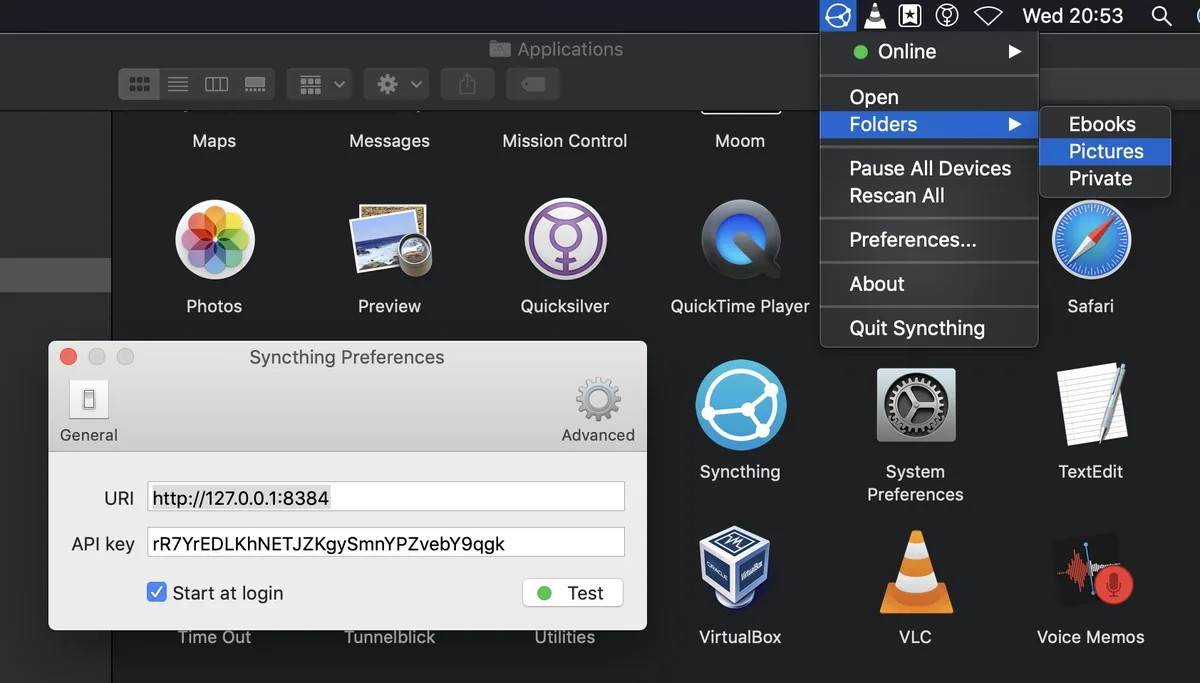
Syncthing ranks second because it scores full marks on privacy while still reaching devices over the internet. Syncthing is a continuous file synchronization program that synchronizes files between two or more computers in real time. None of your data is stored anywhere other than on your computers, and every device is identified by a strong cryptographic certificate.
All communication is secured using TLS, with perfect forward secrecy. It works on macOS, Windows, Linux, FreeBSD, Solaris, OpenBSD and many others, over LAN and over the internet. Its GitHub releases page lists version 2.1.6.
Syncthing replaces a cloud folder rather than a download client. Our Google Drive vs Dropbox statistics show how many people still hand that job to a central server.
- No central server holds your files.
- Open protocol and open source code.
- Runs on almost every desktop and server platform.
- Setup takes longer than a one-tap transfer app.
- It syncs whole folders, so it is not built for one-off sends.
How do I sync folders between computers without cloud storage?
Install Syncthing on each computer, then approve each device: Only devices you have explicitly allowed can connect to your other devices. Files then move directly between your machines, and a browser interface handles setup and monitoring. Syncthing doesn’t need IP addresses or advanced configuration, and it works over LAN and over the internet.
3. LocalSend

Open-Source Nearby File Sharing
LocalSend
Best for phone to PC transfers at home
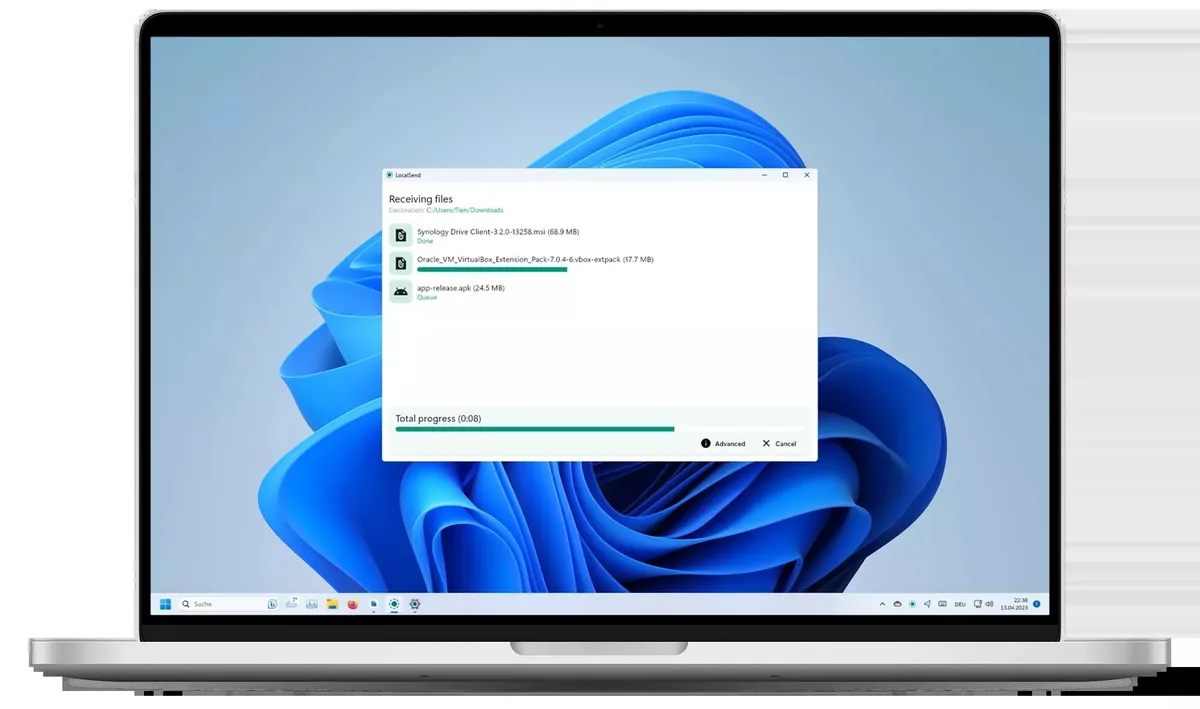
LocalSend is the easiest program on the list, and only its local-network reach keeps it out of the top two. LocalSend is available for Windows, macOS, Linux, Android and iOS, and works completely offline. Its site lists more than 35 million downloads, more than 93,000 GitHub stars and more than 230 contributors.
LocalSend enables secure communication between devices using a REST API and HTTPS encryption, without an internet connection or third-party servers. LocalSend is 100% free and open source, with no ads, no tracking and no hidden costs. It also bridges the two phone platforms, and our iPhone vs Android statistics show how the two divide the market.
Key finding: LocalSend says it does not work over the internet: It uses your local WiFi network to transfer files, and your data never leaves your local network. That limit is the trade-off for its simplicity, so it suits a home or office, while Syncthing or Magic Wormhole cover transfers across town.
- No account, login or servers.
- Covers phones and desktops in one app.
- Free, with no ads or trackers.
- Does not work over the internet.
- Both devices need to share a network.
How do I send files between my phone and computer without the internet?
Install LocalSend on both devices, choose the files and tap the nearby device; the transfer happens over your local network with no account or login. Both devices need to be on the same WiFi network. If the other device does not appear, check that a firewall is not blocking the app.
4. Transmission

Lightweight BitTorrent Client
Transmission
Best for home NAS boxes and Macs
Transmission trails qBittorrent mainly on platform reach, not on quality. Transmission says it has one of the lowest memory and resource footprints of any major BitTorrent client, which is one reason it suits home NAS and media servers. When Ubuntu chose Transmission as its default BitTorrent client, its easy learning curve was one of the most-cited reasons.
The project says it does not bundle toolbars or pop-up ads, does not hold features back for a payware version and does not track its users. Transmission runs natively on Apple Silicon, and the GTK interface follows the GNOME Human Interface Guidelines. Our Linux usage statistics track how many people run a Linux desktop.
- Low resource use on NAS hardware.
- Native macOS interface.
- No ads, tracking or paid tier.
- Fewer platforms listed than qBittorrent.
- A lighter feature set by design.
5. Resilio Sync

P2P File Sync and Send
Resilio Sync
Best for sending big files to friends and family

Resilio Sync’s license terms cost it points on cost. Resilio says the free Sync download now includes all the premium features that were previously only available in a paid Sync Pro plan. It can send one or more files to multiple recipients without sharing the whole folder or creating a permanent sync connection.
The download page warns that Sync is for personal, non-commercial purposes only, with desktop builds for Windows, OS X and Linux, plus mobile and NAS downloads. The free Sync download is licensed for personal, non-commercial use only, so it does not cover business file transfers.
- Former Pro features now in the free download.
- Sends big files without a cloud copy.
- Desktop, mobile and NAS builds.
- Personal, non-commercial use only.
- The free license does not cover business use.
Is Resilio Sync free?
Yes for personal use: The free Sync download includes the former Pro features, but Resilio limits Sync to personal, non-commercial purposes. Business use falls outside that free license. Install it on each device, choose the folders or files to share, and transfers run directly between your devices without a cloud copy.
6. OnionShare

Tor-Based File Sharing
OnionShare
Best for sharing files without revealing who you are
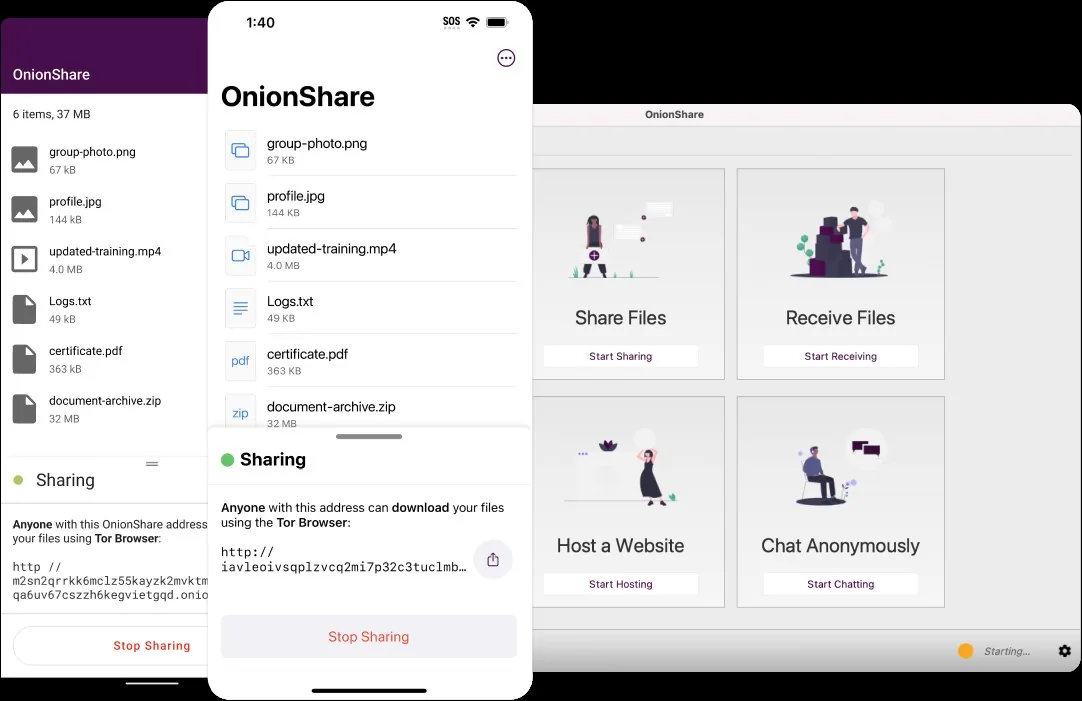
OnionShare scores full marks on privacy but loses points on setup, because recipients need the Tor Browser. OnionShare is an open-source tool that lets you securely and anonymously share files, host websites and chat with friends using the Tor network. It is available for Windows, Mac and Linux, and comes preinstalled in QubesOS, Tails and ParrotOS.
OnionShare starts a web server on your computer and makes it reachable as a Tor onion service, with each address protected by a private key by default. As soon as someone finishes downloading your files, OnionShare automatically stops the server and removes the website from the internet. That self-closing design suits one-off private handoffs, a habit our online privacy statistics track across wider tool adoption. If you route other traffic through a VPN rather than Tor, the WhatLeaks VPN leak test shows whether your real address still shows through.
- Anonymous sharing over Tor.
- Server stops itself after the download.
- Preinstalled in privacy-focused systems.
- Recipients need the Tor Browser.
- Your computer must stay on until the transfer ends.
How can I share a file anonymously?
With OnionShare, you send the recipient the onion address and private key, and they paste both into the Tor Browser to download the files. Use an encrypted chat to pass the key along rather than plain email, and keep OnionShare running until the download finishes.
7. Magic Wormhole

Encrypted One-Off File Transfer
Magic Wormhole
Best for quick transfers between two computers
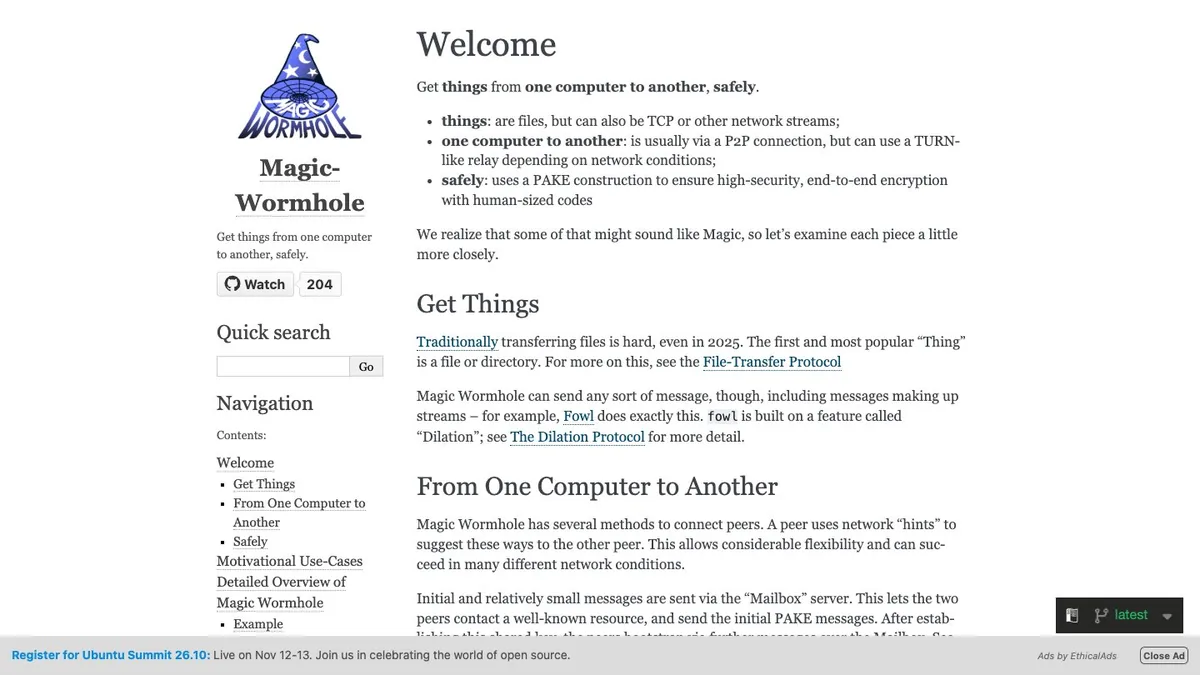
Magic Wormhole provides a library and a command-line tool named wormhole, and a GNOME app called Warp works with the CLI. It sends files from one computer to another, usually via a P2P connection, but can use a TURN-like relay depending on network conditions. It uses a PAKE construction for end-to-end encryption with human-sized codes, and each code is one-time use only.
The library is released under the MIT license. For developers and admins already working at a command line, typing one short code beats uploading a file to a cloud link.
- Short codes that work once.
- End-to-end encryption by design.
- Falls back to a relay when a direct link fails.
- Command line, not a graphical app.
- One transfer per code.
8. BiglyBT

Regularly Updated BitTorrent Client
BiglyBT
Best for users who want frequent feature releases
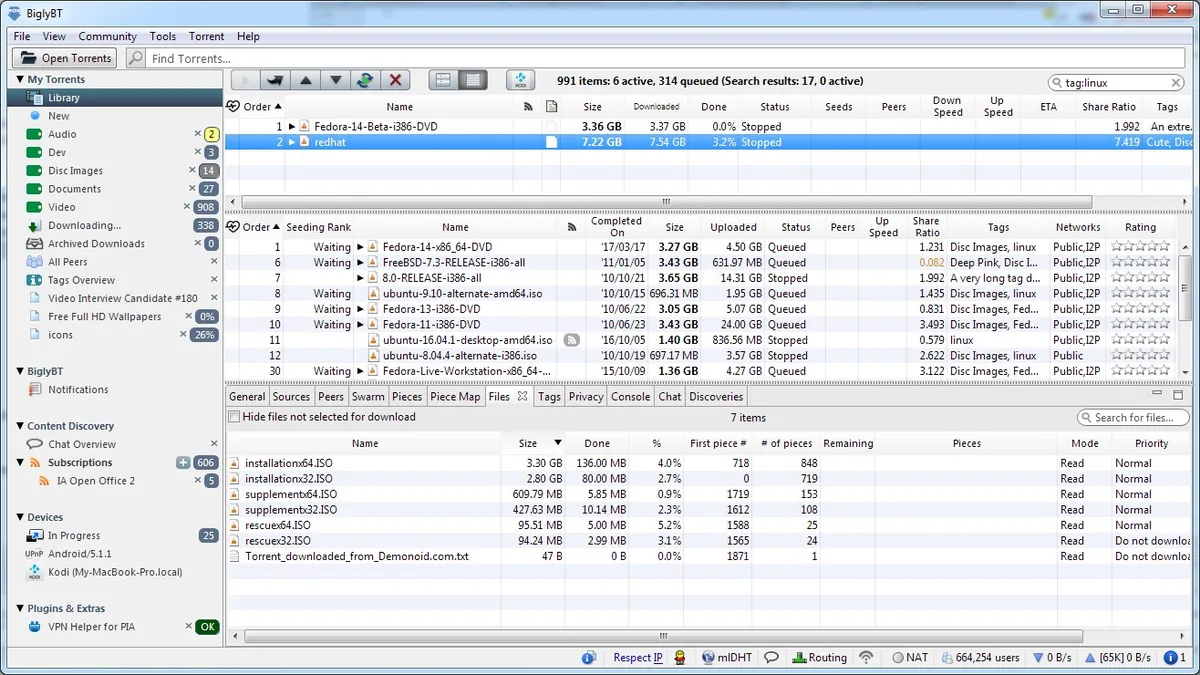
BiglyBT scores 9 on upkeep, one point behind qBittorrent, but loses points on setup and platform detail. BiglyBT released version 4.1 on May 19, 2026, version 4.0 on December 19, 2025 and version 3.9 on September 3, 2025, each with new features and performance and bug fixes. That steady pace of feature releases is why it ranks above Deluge despite thinner platform detail on its site.
- Frequent feature releases.
- Performance and bug fixes in each listed release.
- Long-running project.
- Busy interface for beginners.
- Fewer platform details on its site.
9. PairDrop

Browser File Sharing App
PairDrop
Best for mixed devices with nothing to install
PairDrop is the answer when nobody wants to install anything. It sends images, documents or text via a peer-to-peer connection to devices on the same local network, and works on all devices with a modern web browser. It can also transfer files over the internet between paired devices or through temporary public rooms.
PairDrop is based on Snapdrop, and devices outside your local network that are behind a NAT are auto-connected via the PairDrop TURN server. That relay helps in awkward networks, but it means some transfers pass through a server you do not control, which cost it points on privacy.
- Nothing to install.
- Works across phones, tablets and desktops.
- Internet transfers through paired devices.
- Relies on a relay server for some connections.
- Browser tab must stay open during transfers.
10. Deluge

Daemon-Based BitTorrent Client
Deluge
Best for running torrents on a headless server

Deluge closes the list because it has the lowest maintenance score of the ten programs ranked here. Deluge is a BitTorrent client built on a daemon/client model, with GTK, Web and Console interfaces, and it handles the BitTorrent protocol with libtorrent. Its changelog dates version 2.2.0 to April 28, 2025, a release that removed Python 3.6 support and added support for creating v2 torrents.
Deluge is licensed under the GNU General Public License v3 or later. The daemon design still makes it a strong fit for a home server you manage from another machine, so it stays on the list despite the lowest maintenance score. The release record across the three BitTorrent clients with dated releases shows how maintenance separates them.
View the data
- Daemon runs without a desktop session.
- Three interfaces to choose from.
- Open source under GPLv3+.
- Lowest maintenance score on the list.
- Setup is more involved than Transmission.
Verdict by Use Case
The right pick depends on what you are moving: qBittorrent shipped v5.2.4 on September 28, 2026 for torrents, while LocalSend, with more than 35 million downloads, handles transfers between nearby devices. The bullets below match each common job to one program.
- Best for downloading lawful torrents: qBittorrent, because it combines no ads with five documented desktop platforms.
- Best for keeping your own computers in sync: Syncthing, because no central server holds your data.
- Best for phone to PC transfers at home: LocalSend, because it needs no account and no internet.
- Best for a home NAS: Transmission, for its low resource footprint.
- Best for sharing without revealing your identity: OnionShare, because it runs over Tor.
P2P File Sharing Legality: Lawful vs Infringing Use
The US Copyright Office says uploading or downloading works protected by copyright without the authority of the copyright owner is an infringement of the owner’s exclusive rights of reproduction and/or distribution. The program is not the problem; the file and your permission to share it are.
In MGM Studios v. Grokster, decided on June 27, 2005, the Supreme Court held that one who distributes a device with the object of promoting its use to infringe copyright is liable for resulting infringement by third parties, regardless of the device’s lawful uses. The syllabus notes that such networks can be used to share any type of digital file, while Grokster’s users had mostly shared copyrighted music and video files without authorization.
Lawful uses include sharing your own photos and documents, distributing open-source software and Linux images, and passing along files whose owner has given permission. A general history of peer-to-peer networks is collected on Wikipedia (en.wikipedia.org).
Copyright liability: The Copyright Office says statutory damages can reach up to $30,000 for each work infringed, up to $150,000 if willful infringement is proven, and an infringer may also be liable for the copyright owner’s attorney’s fees. Sharing a copyrighted file without permission carries that exposure whichever program you use.
Is P2P sharing illegal?
Not in itself; the file decides the legal question. The Copyright Office’s FAQ says uploading or downloading works protected by copyright without the authority of the copyright owner is an infringement. It also says that since files distributed over peer-to-peer networks are primarily copyrighted works, there is a risk of liability for downloading material from these networks. Our explainer on how peer-to-peer file sharing works covers the swarms, seeds and peers behind every BitTorrent client on this list.
Why it matters: The Copyright Office points consumers to authorized services for buying music, ebooks and motion pictures, which it says limit exposure to risks such as viruses, unexpected material and spyware. The same caution applies to any P2P download: stick to files from the creator or project itself.
How We Ranked the Best P2P File Sharing Programs
Maintenance status carries the largest weight, 25% of the score, because a P2P program that stops getting updates leaves its users exposed. Privacy and encryption, platform coverage, reach, ease of setup and cost share the rest, as the chart below shows.
View the data
Evidence used per criterion:
- Maintenance status: taken from release notes, changelogs and news pages for qBittorrent, Syncthing, BiglyBT and Deluge. The other six maintenance scores are editorial estimates.
- Privacy and encryption: taken from each project’s documented encryption, server model and tracking policy.
- Platform coverage: taken from the operating systems each project lists.
- Reach: taken from whether a tool works only on a local network, over the internet, or through a relay.
- Ease of setup: taken from the install path: a desktop installer, a browser tab, a command line or a recipient-side browser.
- Cost: taken from license terms and pricing on vendor pages.
These candidates were excluded:
- Grokster-era clients: The Supreme Court record says recipients of Grokster’s software mostly used it to share copyrighted music and video files without authorization.
- µTorrent: qBittorrent aims to be an open-source alternative to µTorrent, with a µTorrent-like interface and no ads.
- Snapdrop: PairDrop is based on Snapdrop and adds internet transfers between paired devices and public rooms.
Each remaining program was scored against the criteria above using the evidence listed. Where a project publishes nothing for a criterion, the score is an editorial estimate, and the per-program notes below say so.
| Program | Maintenance (25%) | Privacy (20%) | Platforms (15%) | Reach (15%) | Setup (15%) | Cost (10%) | Weighted total |
|---|---|---|---|---|---|---|---|
| qBittorrent | 10 | 6 | 10 | 10 | 8 | 10 | 8.9 |
| Syncthing | 9 | 10 | 9 | 9 | 6 | 10 | 8.85 |
| LocalSend | 9 | 9 | 10 | 4 | 10 | 10 | 8.65 |
| Transmission | 9 | 6 | 8 | 10 | 9 | 10 | 8.5 |
| Resilio Sync | 8 | 8 | 9 | 9 | 8 | 7 | 8.2 |
| OnionShare | 7 | 10 | 8 | 8 | 6 | 10 | 8.05 |
| Magic Wormhole | 8 | 10 | 7 | 9 | 4 | 10 | 8.0 |
| BiglyBT | 9 | 6 | 7 | 10 | 6 | 10 | 7.9 |
| PairDrop | 7 | 6 | 10 | 7 | 9 | 10 | 7.85 |
| Deluge | 6 | 6 | 7 | 10 | 6 | 10 | 7.15 |
Source: XtendedView scoring rubric applied to project and vendor documentation, October 2026
Why each program scored where it did:
- qBittorrent: full marks on maintenance and platforms with a September 2026 release and five desktop platforms.
- Syncthing: topped privacy with TLS and no central server, but setup takes more steps.
- LocalSend: scored highest on setup, held back by its local-network-only reach; its maintenance score is an estimate.
- Transmission: matched the leaders on reach, with fewer platforms listed than qBittorrent; its maintenance score is an estimate.
- Resilio Sync: lost points on cost for its personal, non-commercial license limit; its maintenance score is an estimate.
- OnionShare: full privacy marks, lower setup score because recipients need the Tor Browser; its maintenance score is an estimate.
- Magic Wormhole: full privacy marks, lowest setup score for its command-line interface; its maintenance score is an estimate.
- BiglyBT: strong release record, lower privacy and platform scores for limited documentation on the pages cited; its cost score is an estimate.
- PairDrop: top platform score as a browser app, lower privacy score for its relay server; its maintenance score is an estimate.
- Deluge: lowest maintenance score, with its 2.2.0 release dated April 2025.
Is there a free way to share P2P files?
Yes: LocalSend is 100% free and open source with no ads, and qBittorrent is an open-source BitTorrent client with no ads. Resilio also offers a free Sync download that now includes its former Pro features.
Conclusion
LocalSend lists more than 35 million downloads, and US statutory damages reach up to $30,000 per infringed work. P2P has moved well beyond torrents, and the file you share still decides the legal risk. qBittorrent remains the top all-round BitTorrent client in this ranking, Syncthing the strongest way to keep your own computers in step, and OnionShare the choice when identity matters. The next shifts to watch are on the maintenance side: Projects that slow their releases will slide down this list, as Deluge has, and any tool that adds internet transfers without a relay will climb it.
Cite this page
Thakur, T. (2026, November 19). Best P2P File Sharing Programs (2026): 10 Legal Tools Ranked. XtendedView. https://xtendedview.com/best-p2p-file-sharing-programs/
Thakur, Tushar. “Best P2P File Sharing Programs (2026): 10 Legal Tools Ranked.” XtendedView, 19 Nov. 2026, https://xtendedview.com/best-p2p-file-sharing-programs/.
Thakur, Tushar. “Best P2P File Sharing Programs (2026): 10 Legal Tools Ranked.” XtendedView, Last modified November 19, 2026. https://xtendedview.com/best-p2p-file-sharing-programs/.
Source: <a href="https://xtendedview.com/best-p2p-file-sharing-programs/">Best P2P File Sharing Programs (2026): 10 Legal Tools Ranked</a>, XtendedView
References19 sources from 12 publishers
- qBittorrent
- qBittorrent News
- Transmission
- Deluge BitTorrent Client Repository
- Deluge Changelog
- Syncthing
- Syncthing Releases
- Share Files to Nearby Devices






7 reader comments closed April 11, 2025
P2P is pretty common in the offices. But the use of Torrenting is a bit risky in my opinion. Even the legit software programs may have viruses due to interference from the others. It’s a great way of file transfer, but a bit risky.
I’ve used BitTorrent in past and can confirm that it’s one of the best P2P software programs for efficient file transfer. If your country allows torrenting, then there is nothing to worry about the use of BitTorrent.
Indeed.
Thanks for sharing the information about the legality of P2P file system. I was worried about the legality before using the torrents. Fortunately, my worries are gone and I am happy to use it to transfer some office documentation with ease.
You are welcome, Patricia.
Is there a P2P app for one to play (play only, not download) the movie of another person on his screen? And someone else can play a movie from him, and so on..
All torrent sites have become a business, they don’t let you upload, they don’t let you comment. All uploads are done by bots and scammers. You can see some one uploading 100s of torrents by every minute. These are the tricks when you want to see the screens, that is when they make money because the sites you visit to see the screens makes money from advertisement. That is why nobody is going after sites like thepiratesbay to shutdown. There is nothing there anymore also same people are uploading on many more sites with the same name. If anybody has real sites address or software that allows you to share truly please share.
This thread is closed to new comments.