

This article has been updated 3 times. Last updated on
- Rebuilt the list around maintenance status, adding MuMuPlayer, Google Play Games on PC, Waydroid, the Android Studio Emulator and FydeOS, each checked against vendor or project pages captured on 9 October 2026.
- Revised the ranking to drop Android-x86, Anbox and PrimeOS: Android-x86's newest stable release is 8.1-r6 from June 2021, Anbox's project page said in 2023 that it is no longer actively developed, and PrimeOS 3.0 now ships on Primebook laptops. Remix OS, Phoenix OS, OpenthOS, Samsung DeX and Maru OS were dropped from the list.
- Added that Microsoft removed Windows Subsystem for Android from the Microsoft Store on March 5, 2025, and that Bliss OS has paused public images.
- Added a weighted scoring method that puts 25% of each score on maintenance status, plus a hardware table running from 4GB to 16GB of RAM.
Windows Subsystem for Android and the Amazon Appstore left the Microsoft Store on March 5, 2025. That closed Microsoft’s own route for running Android apps on Windows. Bliss OS has paused its public images, and its older SourceForge builds are now archives with no updates and no official support. Two of the most common answers to “best Android OS for PC” no longer work the way older round-ups describe.
What still works splits into two camps. Emulators and containers run on top of Windows or Linux, while a short list of systems installs from a USB drive. The ten options below are ranked on six criteria: maintenance status, Android version, app access, hardware floor, setup effort and cost. Facts come from the vendor’s or project’s own pages, and where a vendor publishes nothing for a criterion, the score is an editorial estimate.
Key Takeaways
- Microsoft removed Windows Subsystem for Android and the Amazon Appstore from the Microsoft Store from March 5, 2025.
- Bliss OS public images are paused as of August 2026, and existing installs will not move to the new codebase without a clean install.
- Android-x86 lists its 8.1-r6 build, released on 2021-06-23, as the sixth stable release of oreo-x86.
- MuMuPlayer markets itself as first with Android 15, with frame interpolation reaching up to 240 FPS.
- BlueStacks 5 needs at least 4GB of RAM, against 16GB for Android Studio running its emulator on Windows.
- Google Play Games on PC needs 8 GB of RAM and a solid state drive with 10 GB of available storage.
Quick Picks
BlueStacks is the pick for most Windows PCs, and the table below sets all ten options side by side. Each row names the type of software, the one documented figure that sets it apart, and the reader it suits.
- Best overall: BlueStacks 5, which runs on 4GB of RAM and Windows 7 and above, though current releases need Windows 10 or above.
- Best for the newest Android: MuMuPlayer, up to 240 FPS with frame interpolation.
- Best official option: Google Play Games on PC, available in more than 140 regions.
- Best for Linux: Waydroid, running Android 13.
- Best installable OS: FydeOS, with an 8-Second Boot.
| Option | Type | Key documented figure | Best for |
|---|---|---|---|
| BlueStacks 5 | Emulator | 4GB RAM minimum | Most Windows PCs |
| MuMuPlayer | Emulator | Android 15 | High frame rate gaming |
| LDPlayer | Emulator | Android 14 core | Lighter resource use |
| Google Play Games on PC | Official Google app | 8 GB RAM, SSD | Play Store games |
| Waydroid | Linux container | Android 13 image | Linux desktops |
| Android Studio Emulator | Developer emulator | 16GB RAM with emulator | App developers |
| Genymotion Desktop | Emulator | $0 personal edition | App testing |
| FydeOS | Installable OS | 8GB USB 3.0 installer | Replacing Windows |
| NoxPlayer | Emulator | Android 9 and Android 12 Beta builds | Older games |
| Bliss OS | Installable OS | Public images paused | Archive installs |
Source: BlueStacks, MuMuPlayer, LDPlayer, Google, Waydroid, Android Developers, Genymotion, FydeOS, BigNox NoxPlayer and Bliss OS pages, October 2026
The version gap is the clearest dividing line in that table. Android-x86’s 9.0-r2 release is based on Android 9.0.0 Pie, and the table below shows how far MuMuPlayer, LDPlayer, BlueStacks and Waydroid have moved past it.
| Option | Android version (major) |
|---|---|
| MuMuPlayer | 15 |
| LDPlayer | 14 |
| BlueStacks 5 (beta) | 13 |
| Waydroid | 13 |
| Android-x86 9.0-r2 | 9 |
Source: MuMuPlayer, LDPlayer, BlueStacks and Waydroid project pages, plus the Android-x86 9.0-r2 release note, October 2026
Each pick was scored across the weighted criteria in How We Ranked the Best Android OS for PC.
Which Android version is best for gaming?
MuMuPlayer’s developer says its deep Android 15 integration brings broader game compatibility. NoxPlayer still offers a separate Android 9 build aimed at graphically demanding Android 9 games such as Genshin Impact. Match the build to the game’s minimum, then pick the newest that runs smoothly.
1. BlueStacks 5
Android App Player for Windows
BlueStacks 5
Best for most Windows PCs, including older ones
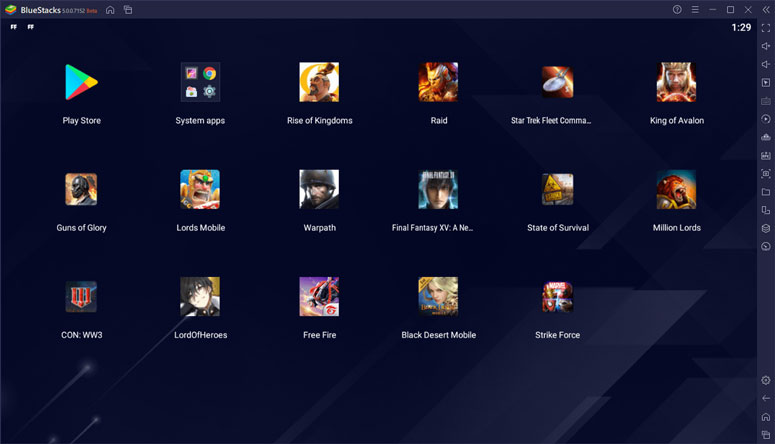
BlueStacks leads the ranking because it pairs a modest, published hardware floor with an active release cycle. Its minimum requirements are Windows 7 and above, an Intel or AMD processor, at least 4GB of RAM and 5GB of free disk space. Android 13 is available as a beta on BlueStacks 5.
For better gaming, BlueStacks recommends Windows 10 and above, 8GB of RAM or higher, SSD storage and virtualization enabled. PCs still on Windows 7 or Windows 8 are limited to BlueStacks versions 5.21.300 and below. That cut-off matters on older machines, because the newest release no longer installs on them; our Windows market data tracks how widespread those older versions remain. You can get the BlueStacks app player for Windows from its own site, which also hosts the requirement and release-note pages used here.
- Lowest RAM floor of the three options whose cited pages publish one.
- Recommended settings are documented, not guessed.
- Android 13 available for newer games.
- Android 13 is still marked as a beta.
- Current releases leave older Windows versions behind.
2. MuMuPlayer
Android Gaming Emulator
MuMuPlayer
Best for high frame rate gaming on current Android
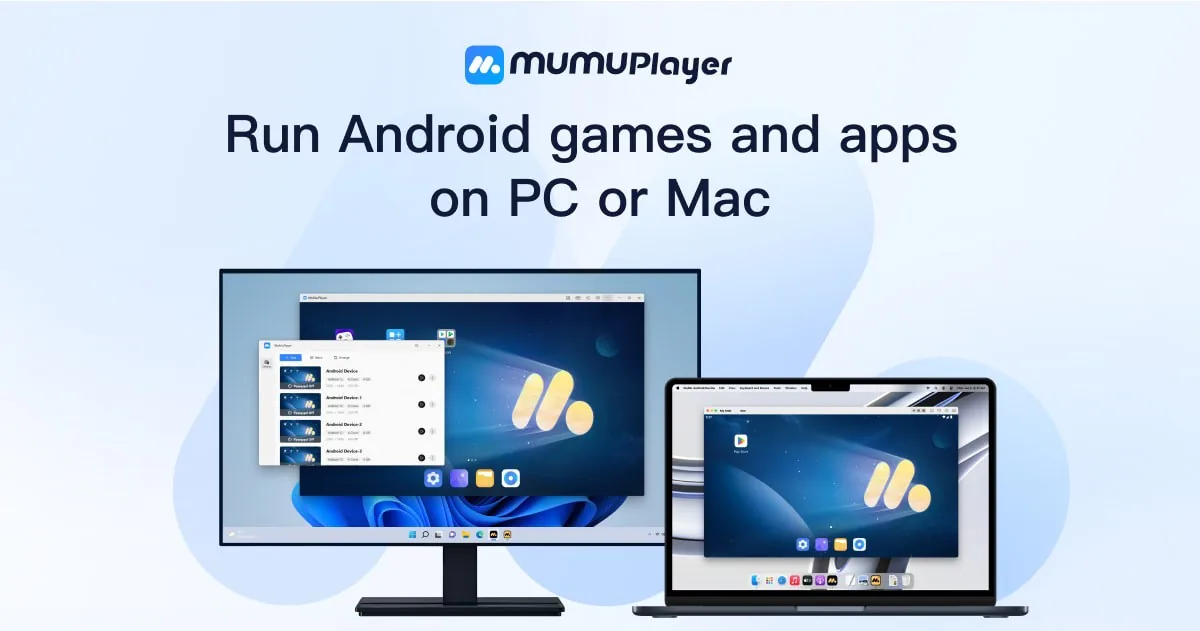
MuMuPlayer sits just behind BlueStacks on the strength of its Android version. The emulator advertises itself as first with Android 15, with deep Android 15 integration for broader game compatibility. Its frame interpolation lets games pass their native FPS limits, reaching up to 240 FPS.
It loses points on the hardware floor and on setup. We could not find a published RAM floor on its site, so it could not match BlueStacks on the hardware criterion. Setup effort also scored one point below BlueStacks. The memory gap between options is wide, from 4GB for BlueStacks 5 to 16GB for Android Studio with its emulator, as the chart below shows for the three options that publish a RAM minimum.
View the data
- Newest Android version of any option that names one.
- Frame interpolation for high refresh displays.
- Multi-instance support for several games at once.
- No published RAM floor on its site.
- Fewer published requirement details than BlueStacks.
3. LDPlayer
Android Gaming Emulator
LDPlayer
Best for gamers on mid-range PCs
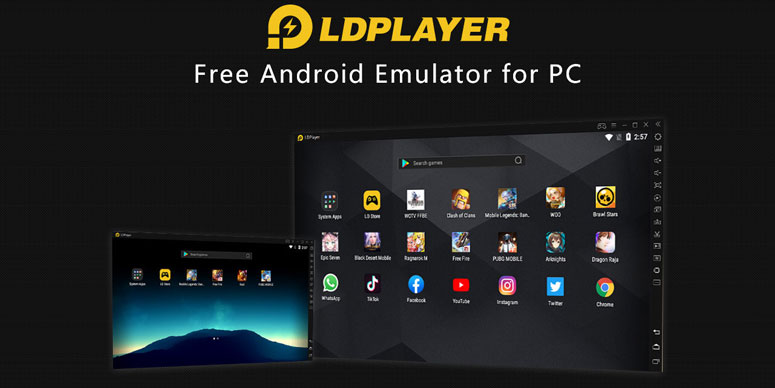
LDPlayer trails MuMuPlayer by one Android version. Its developer describes a brand-new Android 14 core built to run top-tier games at full frame rate with lower resource consumption. That efficiency claim comes from the vendor, so treat it as a target rather than a measured result on your hardware. The practical case for LDPlayer is a mid-range PC that runs one game at a time and wants a recent Android base.
- Current Android base, one version behind MuMuPlayer.
- Vendor focus on lower resource consumption.
- Built for full frame rate play.
- No published RAM floor on its site.
- Performance claims are the vendor's own.
4. Google Play Games on PC

Google's Android Games App for Windows
Google Play Games on PC
Best for Play Store games with synced progress
Google’s own app is the closest thing to an official Android layer for Windows now that Microsoft’s subsystem is gone. It needs Windows 10 (v2004), a solid state drive with 10 GB of available storage, 8 GB of RAM, 4 CPU physical cores, a Windows admin account and hardware virtualization turned on. Google Play Games on PC is available in more than 140 regions, and you do not have to pay to use it, although you may need to pay for a game or in-game items.
The trade-off is scope. It runs games from Google’s PC catalog rather than any Android app, which is why it scores lower on app access than the general emulators above it.
Key finding: Google lists the same 8 GB of RAM and an SSD with 10 GB of available storage for both its minimum and its recommended Play Games setup, adding a gaming-class GPU such as the Nvidia GeForce MX450 for better gameplay performance. A capable integrated GPU is enough to start, but a discrete one is what Google points to for smoother play.
- Built and maintained by Google.
- Free to use, with progress synced to your phone.
- Clear, published hardware requirements.
- Games only, not the full Play Store.
- Twice the RAM minimum that BlueStacks publishes.
5. Waydroid
Android Container for Linux
Waydroid
Best for Linux desktops running Wayland
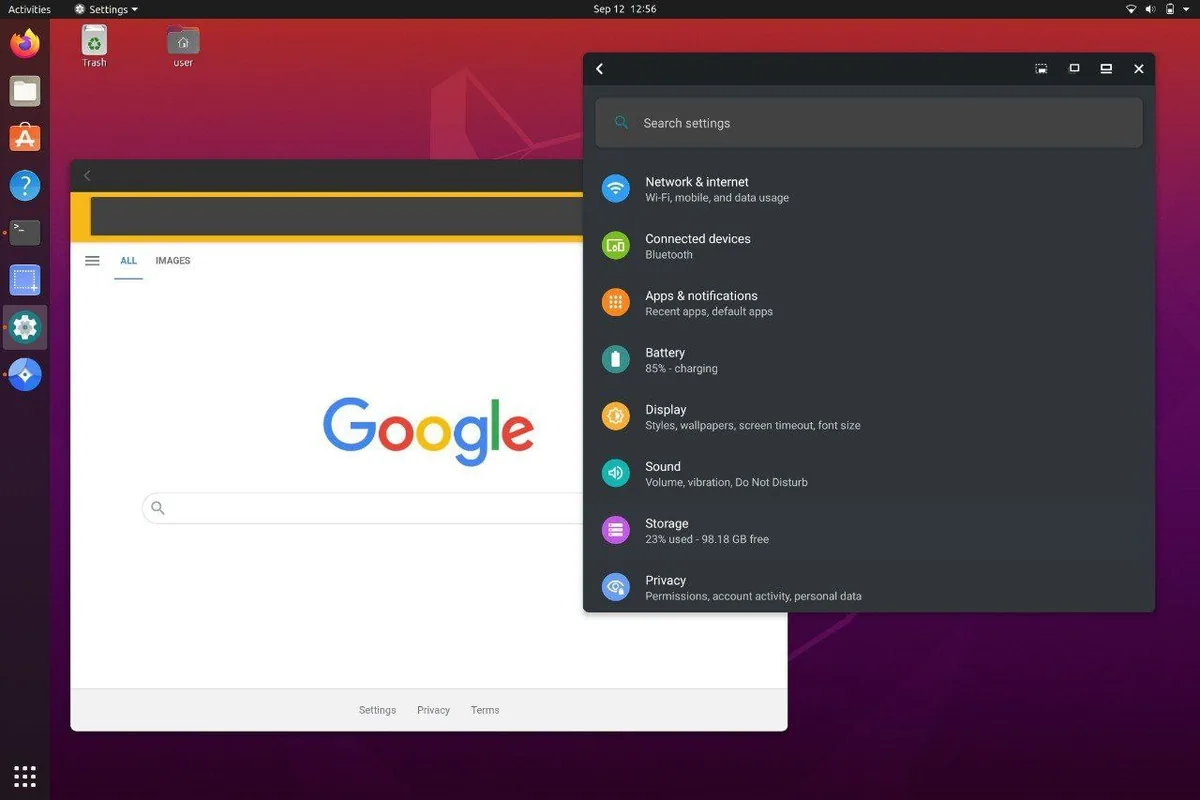
Waydroid is the answer for anyone already on Linux. It boots a full Android system in a container on regular GNU/Linux systems running Wayland based desktop environments, on arm, arm64, x86 and x86_64 platforms. The runtime ships a minimal customized Android image based on LineageOS, currently based on Android 13.
Waydroid also inherits the role of Anbox, whose maintainers say that in 2023 the older project is no longer actively developed and point Linux desktop users to Waydroid. Our Linux usage data tracks how large that desktop base is, and it is the one platform where a free, current Android container replaces an emulator outright.
- Free and open source.
- Android apps appear in the Linux applications folder.
- Runs on ARM and x86 hardware.
- Needs a Wayland desktop.
- Android base trails the newest emulators.
6. Android Studio Emulator
Official Android Developer Emulator
Android Studio Emulator
Best for building and testing Android apps
Google’s developer emulator is built for testing apps, and its published requirements reflect that. On Windows, running Android Studio with its emulator needs 64-bit Windows 10, 16GB of RAM, 16GB of free space and a GPU with 4GB VRAM, with 32GB of RAM recommended. The CPU needs virtualization support and a microarchitecture after 2017.
For a developer, that cost buys Google’s own testing environment. For someone who only wants to run a messaging app on a laptop, it is far more than needed.
- Google's own developer tooling.
- Minimum and recommended specs are published in detail.
- GPU requirements are spelled out by model.
- Highest published RAM floor of the three options that list one.
- Built for developers, not everyday app use.
7. Genymotion Desktop

Android Emulator for Testing Teams
Genymotion Desktop
Best for testers who may move to the cloud
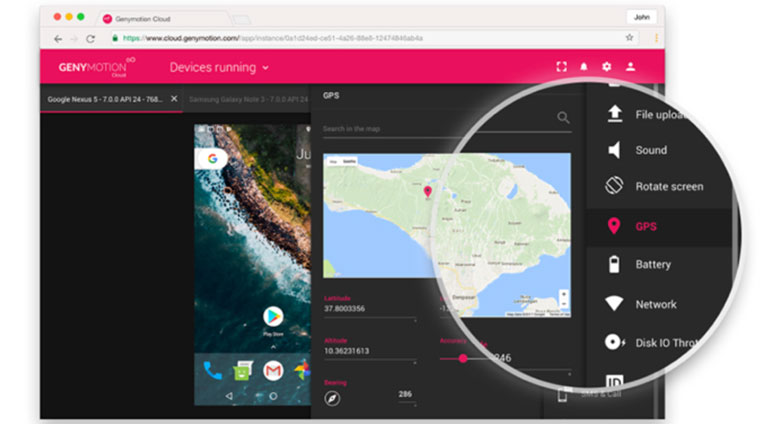
Genymotion sits between a gaming emulator and Google’s developer tool. Its desktop edition for PC and Mac has a free personal use, limited edition at $0 with no license required. Its cloud devices are billed pay-as-you-go at $0.06 per minute per running virtual device. The free edition limits widgets and support, so it fits personal testing more than daily app use.
- Free personal edition.
- Same devices available locally and in the cloud.
- Cloud plans list CI/CD integration tools.
- Free edition has limited features.
- Company use falls under the paid Business plan.
8. FydeOS

ChromiumOS-Based Operating System
FydeOS
Best for replacing Windows on an older PC
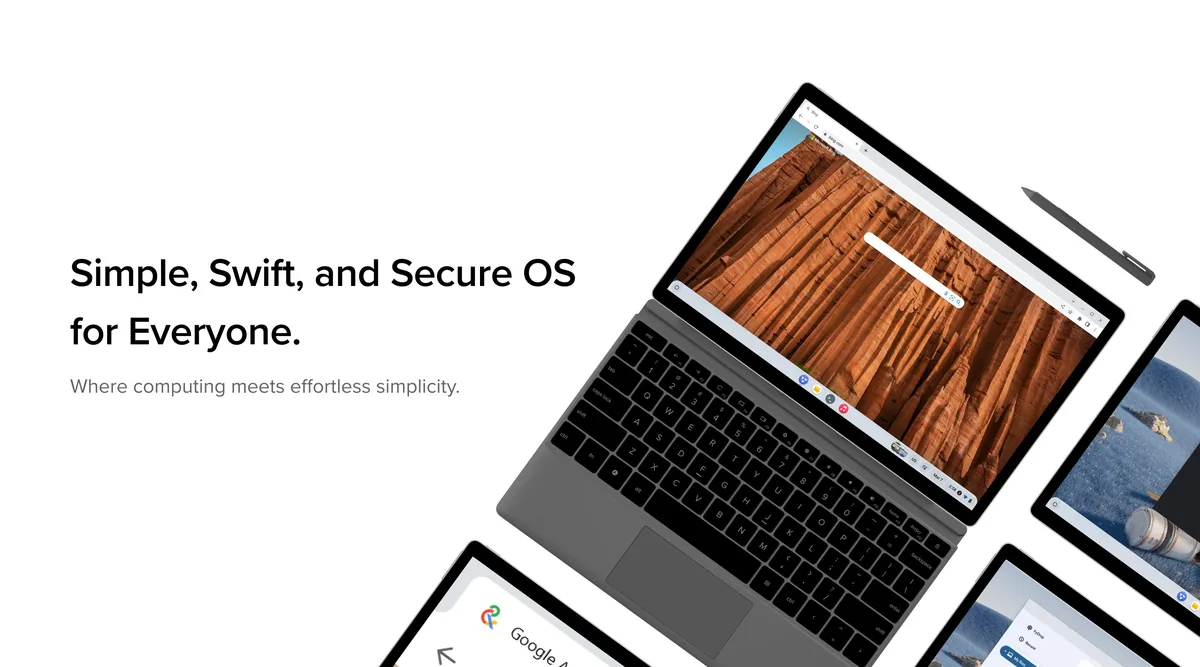
FydeOS is the strongest pick for readers who want Android apps as part of the operating system rather than inside a window. Its developer says FydeOS supports Web, Android and Linux apps, offers an 8-Second Boot and has broad compatibility with PCs, tablets and ARM SBCs. Installing it needs a USB 3.0 flash drive with at least 8GB of storage and access to the BIOS to disable Secure Boot.
Disabling Secure Boot is a real trade-off on a laptop that holds personal data. If you need a tool to write the image, our guide to bootable USB tools covers the common options.
What is the best Android operating system for laptops?
For a laptop you already own, FydeOS is the most practical installable choice, because it runs Android apps alongside Web and Linux apps. PrimeOS is now PrimeOS 3.0, Primebook’s operating system for laptops, and the Primebook 3 runs it with a starting price of ₹35,990.
- Android, Linux and Web apps in one system.
- Vendor advertises an 8-second boot.
- Runs on PCs and ARM boards.
- Installer requires Secure Boot off.
- Fewer published specifications than the emulators.
9. NoxPlayer
Android Gaming Emulator
NoxPlayer
Best for games that target Android 9

NoxPlayer falls near the bottom of the ranking on maintenance and version. Its download page offers an Android 9 build for graphically demanding Android 9 games, a 64-bit version for 64-bit games and a separate Android 12 Beta package. MuMuPlayer and LDPlayer, both ranked above it, name newer bases: Android 15 and an Android 14 core.
It still has a place for players whose favorite game was tuned for that older Android base and runs worse on newer images. Anyone chasing much older handheld titles is better served by a dedicated GBA emulator.
- Separate builds for different Android versions.
- Mac and Windows downloads.
- A dedicated build aimed at 64-bit games.
- Newest Android build is still a beta.
- Fewer current Android builds than the leaders.
10. Bliss OS

Open-Source Android for PCs
Bliss OS
Best for tinkerers who accept frozen builds
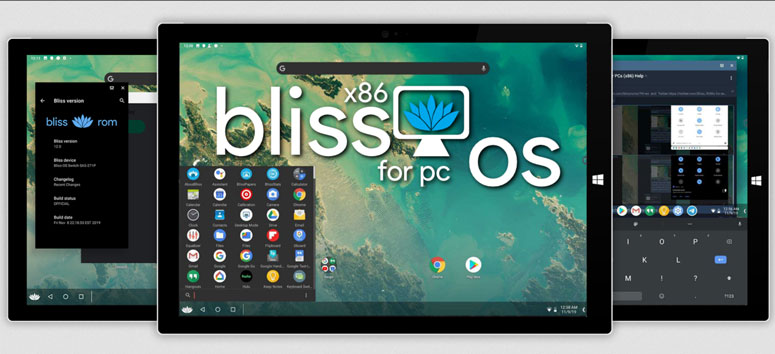
Bliss OS still features prominently in older “Android OS for PC” round-ups, but its paused releases cost it heavily on maintenance here. Its status page, dated August 2026, says public images are paused while the next tree is built, older SourceForge builds are archives with no updates or official support, and there is no ETA for the first public image from the new tree.
The archived builds include a native bridge for ARM apps that requires an x86_64v2 CPU, using Intel’s libhoudini in Bliss OS 14 and 15 and Google’s libndk_translation in Bliss OS 16 and 17. As of 2022 Q4, Intel i Series and Ryzen Series (1k-7k) processors are listed as fully supported, while Nvidia graphics have limited support.
Worth noting: Bliss OS warns that existing installs will not OTA or sideload onto the new codebase, and that a clean install will be required. Anyone installing an archive build today should plan to back up their data and wipe the drive once a public image from the new tree finally ships.
- Documented hardware compatibility list.
- ARM app translation built in.
- Wide documented CPU support.
- No new public images and no ETA.
- Archive builds receive no updates.
Android OS Options for PC That Stopped Updating
Android-x86’s news list records its 8.1-r6 release on 2021-06-23 and an r-x86 branch note on 2022-04-15. Several other names from older round-ups have stopped too, and the timeline below shows the order in which the routes froze.
View the data
Microsoft’s subsystem had let Windows 11 devices run Android apps from the Amazon Appstore, which itself was only available in select regions. Google’s ChromeOS Flex installs on Windows, Mac and Linux devices but supports only some Android VPN apps. PrimeOS is now Primebook’s operating system for laptops, promising 3 years of PrimeOS security updates.
Why it matters: Android-x86’s 9.0-r2 release dates from 2020/03/25 and runs Android 9.0.0 Pie on LTS kernel 4.19.110. Any round-up still leading with that image is recommending an Android base several versions behind the emulators ranked above, on a kernel from the same era.
Verdict by Use Case
The right pick depends on the PC and the goal: BlueStacks runs on 4GB of RAM, while MuMuPlayer brings Android 15 and up to 240 FPS for gaming. The bullets below match each common use to one option.
- Best for most Windows PCs: BlueStacks, because it publishes the lowest RAM floor and keeps releasing updates.
- Best for current Android games: MuMuPlayer, for its Android 15 base and high frame rate tools.
- Best for games you also play on your phone: Google Play Games on PC, for Google’s own catalog and synced progress.
- Best for Linux users: Waydroid, the maintained successor to Anbox.
- Best for replacing Windows on an old laptop: FydeOS, an installable system that runs Android, Linux and Web apps.
How We Ranked the Best Android OS for PC
Maintenance status carries 25% of the score because an Android layer that no longer gets updates becomes a security liability over time. Android version and app access carry 20% each, the hardware floor 15%, and setup effort and cost 10% each.
View the data
Evidence used per criterion:
- Maintenance status: taken from the status page, release notes or news list captured for BlueStacks, NoxPlayer and Bliss OS. The other seven maintenance scores are editorial estimates.
- Android version: taken from the version each vendor names on its own pages.
- App access: taken from the documented app sources: the Play Store, a curated catalog, or sideloading.
- Hardware floor: taken from the published RAM minimum where a vendor gives one (BlueStacks, Google Play Games on PC and Android Studio). The other seven publish none on the pages cited here, so their scores of 5 to 7 are editorial estimates.
- Setup effort: taken from the install path: a Windows installer, a Linux package, or a bootable USB drive.
- Cost: taken from vendor pricing pages and licenses.
The candidate pool held fifteen options. Five were excluded: Android-x86 for having no stable release since its oreo-x86 build, Anbox because its maintainers stopped active development, Windows Subsystem for Android for leaving the Microsoft Store, ChromeOS Flex for supporting only some Android VPN apps, and PrimeOS because it now ships as Primebook’s laptop operating system.
Each remaining option was scored against the criteria above using the evidence listed. Where a vendor publishes no figure for a criterion, the score is an editorial estimate rather than a fixed midpoint. That covers the hardware floor for seven options and maintenance status for every option except BlueStacks, NoxPlayer and Bliss OS. It also covers the Android version for five options that name none on the pages cited here: Google Play Games on PC, the Android Studio Emulator, Genymotion Desktop, FydeOS and Bliss OS.
| Option | Maintenance | Android version | App access | Hardware floor | Setup | Cost | Weighted total |
|---|---|---|---|---|---|---|---|
| BlueStacks 5 | 9 | 7 | 9 | 9 | 9 | 9 | 8.6 |
| MuMuPlayer | 9 | 10 | 9 | 5 | 8 | 9 | 8.5 |
| LDPlayer | 9 | 9 | 9 | 5 | 9 | 9 | 8.4 |
| Google Play Games on PC | 10 | 5 | 7 | 6 | 9 | 10 | 7.7 |
| Waydroid | 9 | 8 | 7 | 5 | 5 | 10 | 7.5 |
| Android Studio Emulator | 10 | 8 | 6 | 4 | 5 | 10 | 7.4 |
| Genymotion Desktop | 8 | 7 | 6 | 6 | 7 | 9 | 7.1 |
| FydeOS | 8 | 5 | 8 | 6 | 6 | 8 | 6.9 |
| NoxPlayer | 4 | 4 | 9 | 6 | 9 | 9 | 6.3 |
| Bliss OS | 3 | 7 | 7 | 7 | 5 | 10 | 6.1 |
Source: XtendedView scoring rubric applied to vendor and project documentation, October 2026
Why each option scored where it did:
- BlueStacks 5: led on its published 4GB floor and active release notes.
- MuMuPlayer: topped the Android version criterion but publishes no RAM floor on the pages cited here.
- LDPlayer: matched MuMuPlayer on maintenance with a one-version-older core.
- Google Play Games on PC: lost points on app access, since it runs Google’s game catalog only.
- Waydroid: lost points on setup, which needs a Wayland desktop on Linux.
- Android Studio Emulator: had the highest published RAM floor of the three that list one.
- Genymotion Desktop: limits its free edition’s features.
- FydeOS: names no Android version on the pages captured.
- NoxPlayer: ships its newest Android build only as a beta.
- Bliss OS: scored lowest on maintenance because public images are paused; its Android version score is an estimate, since the pages cited give Bliss OS release numbers rather than Android versions.
Can I still run Android apps on Windows 11 without an emulator?
Not through Microsoft any more: Windows Subsystem for Android and the Amazon Appstore are no longer available in the Microsoft Store, starting March 5, 2025. For games, the closest replacement is Google’s own app. Google Play Games on PC needs a Windows admin account and hardware virtualization turned on. An emulator such as BlueStacks remains the practical route on Windows for apps beyond games, and the setup steps in our walkthrough on running Android apps in Windows still apply.
Is Android-x86 still updated?
No: Android-x86’s news list shows the 8.1-r6 stable release on 2021-06-23. Later entries cover only a source branch and a download mirror. Its 9.0-r2 release from 2020/03/25 offers a 64-bit ISO that most modern devices should be able to run, and a 32-bit ISO for older devices with legacy BIOS. Those images still boot on many PCs, but they carry Android security patches from years ago, which is why this ranking left the project out.
Conclusion
Windows Subsystem for Android has been unavailable in the Microsoft Store since March 5, 2025, and BlueStacks runs Android on a Windows PC with at least 4GB of RAM. MuMuPlayer and LDPlayer lead on Android version, Waydroid covers Linux, and FydeOS is the installable system still worth a USB drive.
The installable Android projects are where the next change will come from. If Bliss OS ships public images from its new tree, it will be worth a fresh look; until then, an emulator on the operating system you already run is the safer choice.
Cite this page
Thakur, T. (2026, November 16). Best Android OS for PC (2026): 10 Emulators and OSes Ranked. XtendedView. https://xtendedview.com/best-android-os-for-pc/
Thakur, Tushar. “Best Android OS for PC (2026): 10 Emulators and OSes Ranked.” XtendedView, 16 Nov. 2026, https://xtendedview.com/best-android-os-for-pc/.
Thakur, Tushar. “Best Android OS for PC (2026): 10 Emulators and OSes Ranked.” XtendedView, Last modified November 16, 2026. https://xtendedview.com/best-android-os-for-pc/.
Source: <a href="https://xtendedview.com/best-android-os-for-pc/">Best Android OS for PC (2026): 10 Emulators and OSes Ranked</a>, XtendedView
References21 sources from 14 publishers
- Bliss OS development status
- Bliss OS hardware compatibility
- Waydroid: Android in a Linux container
- Anbox repository notice
- Windows Subsystem for Android
- Differences between ChromeOS Flex and ChromeOS
- Check if your PC can run Google Play Games on PC
- Google Play Games: Play games across mobile and PC




11 reader comments closed March 23, 2025
I have checked your recent article about themes for Windows 11. That was awesome. I have commented on that also. I checked this article. I have a shock to see I can install Android on my PC. I will definitely try this.
Yes, that is right Armando. You can install Android on your PC. Surely try on a spare PC.
Hey Tushar,
I have an old PC that was running on Windows XP but now it has so many issues of slowing down. can I try to install any one of the OS on that?
Yes, definitely Annie. You can do that. Please let me know how it goes.
I think not all of these are OS that you can install on a PC right? Because I have been using Bluestacks and you have listed it here as well. According to my knowledge, it is not an OS.
Yes, the post having all kinds of solutions to run android apps/games on your system.
Nice article Tushar.
I am not that Geeky to install a new OS on my computer LOL. But it’s always nice to learn tech from this blog. ????
Thank you for your nice comment Kenneth. ????
Do I need to create a system restore point before installing this OS on my PC?
No Alex. This is not a software installation. This is a complete new OS installation.
Please don’t try this on your main system.
So with the advent of Windows 11, I have two good computers that will be outdated and I am currently building my Windows 11 pc. My old computer lost its OS due to a bad SSD. I want to use Android OS’s on these but am concerned about setting up items that usually have Windows Drivers? Is it possible to set these up in Android? Also which OS would work for using Steam? These computers are both 1150 socket Intel with Intel graphics on cpu and one has a nvidia video card. Entirely tired of shoveling money to Microsoft. I have boxes of games and OS disc’s that are out of date.
This thread is closed to new comments.