

This article has been updated 3 times. Last updated on
- Added mpv, MPC-BE, SMPlayer, KMPlayer and Kodi, growing the list from 5 to 9 Windows video players, and moved Clementine to the exclusions because it is a music player.
- Added VideoLAN's download counter for VLC, which reads 7,136,777,306 downloads, and current GOM Player+ pricing of $11.00 one-time.
- Added a weighted scoring method in which format and codec coverage carries 30%, and flagged that the original MPC-HC site's last release dates to 2017.
VLC media player has logged 7,136,777,306 downloads on VideoLAN’s own counter, which started at the end of February 2005, and it leads this ranking of GOM Player alternatives for Windows. GOM Player+ now sells as a permanent license for $11.00 one-time, down from a regular price of $22.00. The top three players below are also free, so the case for switching rests on codecs, upkeep and playback.
Every pick is a video player, scored on five weighted criteria: format and codec coverage, cost and ads, active maintenance, playback performance and extras. Clementine, which sat on the older five-item version of this list, plays music rather than video, so it now sits in the exclusions. The list also flags which download links still point at abandoned builds, because one of the best-known GOM Player replacements now has two separate projects behind it.
Key Takeaways
- VLC media player’s download counter reads 7,136,777,306 downloads since VideoLAN started counting in February 2005.
- VLC 3.0.24 for Windows is a 43 MB download and runs on Windows XP SP3 through Windows 11.
- The original MPC-HC site last announced a release, v1.7.11, on March 06, 2017.
- The clsid2 fork of MPC-HC has been developed since 2017 and plays HEVC, VVC and AV1 video.
- GOM Player+ costs $11.00 one-time for a permanent license, 50% off its regular $22.00 price.
- KMPlayer 64X is a free PC player with no advertisements that can play high-quality video including 8K video.
- DivX Player searches subtitle files in over 50 languages from the OpenSubtitles.com database.
Quick Picks
VideoLAN says VLC plays most codecs with no codec packs needed and is completely free, with no spyware, no ads and no user tracking. That combination makes VLC the default GOM Player replacement, and the picks and the table below set every player side by side, from price to the reader each one suits.
- Best overall: VLC, with 7,136,777,306 downloads on VideoLAN’s counter.
- Best lightweight player: Media Player Classic Home Cinema, which runs on any SSE2 CPU, even on a computer from 2000.
- Best for HDR and scripting: mpv, with OpenGL and Vulkan video output that handles HDR.
- Best for 8K video: KMPlayer, which plays high-quality video including 8K video with no advertisements.
- Best for a TV setup: Kodi, designed around a 10-foot user interface for use with televisions and remote controls.
| Player | Price | Standout capability | Best for |
|---|---|---|---|
| VLC Media Player | Free, no ads | Plays most codecs with no codec packs | Most people leaving GOM Player |
| MPC-HC (clsid2) | Free, open source | HEVC, VVC and AV1 playback | Lightweight playback |
| mpv | Free | OpenGL, Vulkan and D3D11 output with HDR | Power users who script |
| MPC-BE | Free, open source | Windows 7 to 11, 32-bit and 64-bit | MPC users who want a second build |
| SMPlayer | Free, open source | Built-in codecs and resume playback | Picking up where you left off |
| KMPlayer 64X | Free, no advertisements | 8K video, UHD and 60FPS playback | High-resolution files |
| Kodi | Free, open source | 10-foot interface for televisions | A living-room media center |
| DivX Player | Free, DivX Pro upgrade | Subtitles in over 50 languages | DivX and AVI libraries |
| RealPlayer | RealPlayer Plus $39.99 | Downloads at a resolution of up to 8K | Saving online video |
Source: VideoLAN, clsid2/mpc-hc, mpv, MPC-BE, SMPlayer, KMPlayer, Kodi, DivX and RealPlayer product pages, October 2026
Each pick was scored across the weighted criteria in How We Ranked.
1. VLC Media Player

Open-Source Media Player
VLC Media Player
Best for most people replacing GOM Player
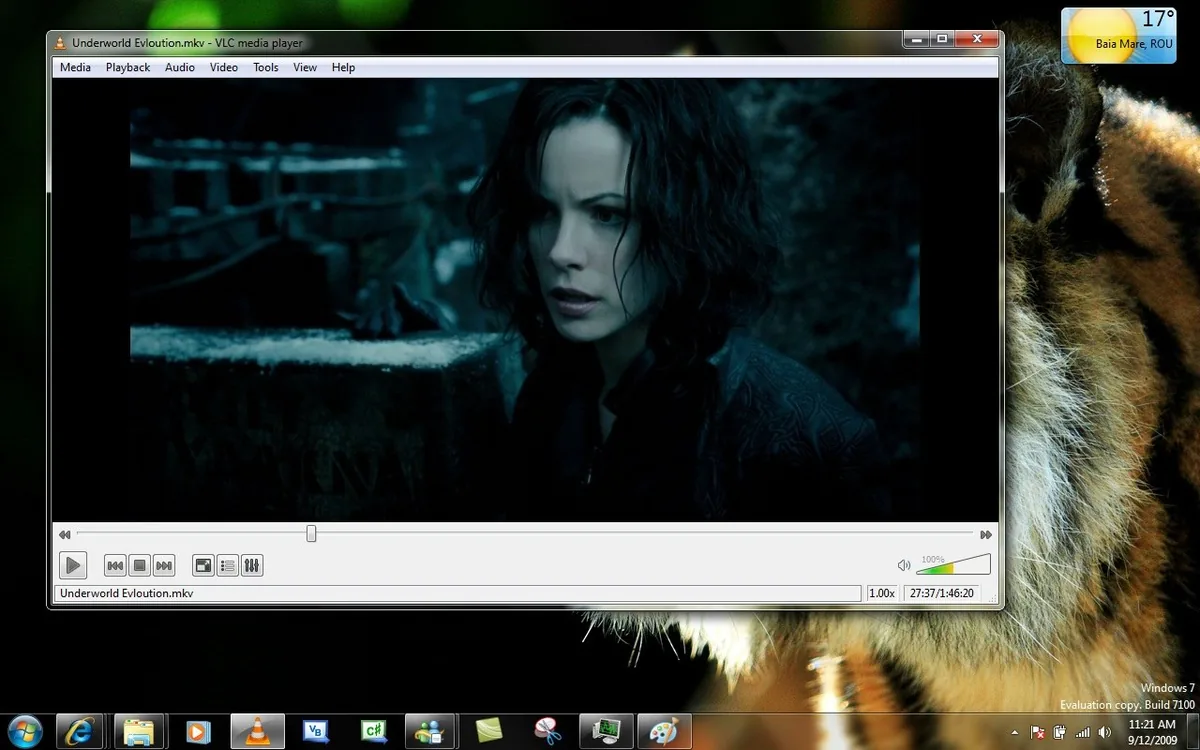
VLC Media Player leads on codec coverage and ties the other free players on cost. On its download page, VideoLAN lists VLC 3.0.24 for Windows as a 43 MB download that runs on all versions of Windows, from Windows XP SP3 to the last version of Windows 11. That range reaches back to older PCs, and the Microsoft Windows statistics break down which versions people still run.
VLC plays files, discs, webcams, devices and streams, and handles MPEG-2, MPEG-4, H.264, MKV, WebM, WMV and MP3 with no codec packs needed. Beyond playback, you can add skins, create skins with the VLC skin editor and install extensions. That lets you restyle VLC with skins, and the look can pair with Windows 11 themes and skins.
VideoLAN’s download statistics put VLC 3.0.21 at 562,621,434 downloads. That is the largest count among the seven releases from 3.0.18 onward charted below.
View the data
By the numbers: VideoLAN’s counter shows 7,136,777,306 total downloads, and its stats are updated every day from VideoLAN’s download servers. The current 3.0.24 release may read lower than 3.0.21 partly because it is still collecting downloads, so the gap is a weak guide to popularity.
Is GOM Player better than VLC?
For most Windows users, no. GOM Player supports more than 100 different video and audio formats but needs Windows 10 (64bit) and 2GB RAM or more, while VLC runs on every version of Windows from Windows XP SP3 to Windows 11. VLC also has no paid tier, so you never meet an upsell.
Is VLC still free?
Yes. VideoLAN describes VLC as a free and open source cross-platform multimedia player, and completely free, with no spyware, no ads and no user tracking. There is no premium edition to unlock, unlike GOM Player+, so the version you download is the full player.
- Plays most formats without codec packs.
- No ads, spyware or tracking.
- Runs on every Windows release since XP SP3.
- The interface looks plain next to GOM Player.
- Skins take extra setup.
2. MPC-HC

Open-Source DirectShow Player
MPC-HC (clsid2)
Best for lightweight playback on any Windows PC
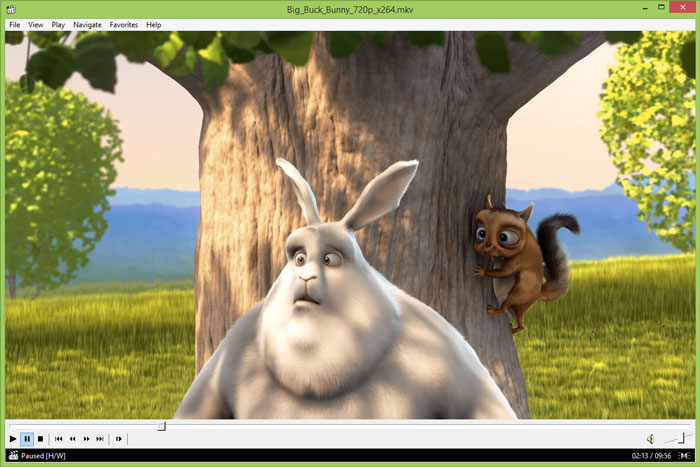
Media Player Classic Home Cinema earns its spot because it is light and still maintained. The clsid2 fork of MPC-HC is a free and open-source video and audio player for Windows, with development taken over in 2017. It has added playback of HEVC (H.265), VVC (H.266) and AV1 video and AC4 audio.
The name causes confusion, because two projects use it. The original MPC-HC site still describes an extremely light-weight, open source media player for Windows, but its last release post is v1.7.11 from March 06, 2017. Old download links that point there install a nine-year-old build, so get the player from the clsid2 GitHub page instead.
Why it matters: The clsid2 release 2.8.3 added a modern theme based on Windows 11 UI design, an option to use native Windows 11 menus and HLG tonemapping for EVR-CP/Sync. A reader who installs from the original site misses all of those changes and years of codec updates.
The Windows 11 theme also matters if you have restyled the rest of the desktop with Windows 11 icon packs, since the player no longer looks like a Windows XP leftover. The original project also notes that MPC-HC runs on any SSE2 CPU, even on an old computer from 2000, and is 100% spyware free, with no advertisements or toolbars.
- Very light on system resources.
- Current builds add HEVC and VVC playback.
- No ads or toolbars.
- Two projects share the name, so downloads need care.
- The maintainer is not taking new feature requests.
3. mpv

Command-Line Media Player
mpv
Best for users who want HDR and scripting

mpv places high for playback quality and active development. The project describes mpv as a free (as in freedom) media player for the command line with an OpenGL, Vulkan, and D3D11 based video output that supports HDR, color management and interpolation. mpv can leverage most hardware decoding APIs on all platforms.
The current mpv release made the libplacebo based gpu-next the default and added built-in helpers to register mpv as a media app on Windows. That helper should make mpv easier to set as the default player for video files. mpv provides no real GUI beyond a small on-screen controller, but its scripting capabilities can make the player do almost anything.
Unofficial Windows builds: mpv’s installation page says all Windows binary packages are unofficial third-party builds, except as noted, and that first-party CI builds are intended mainly for testing. Download only from the builders that page links, and check the file before you run it.
- HDR output and high-quality scaling.
- Scripting can change almost any behavior.
- Hardware decoding on demand.
- Right-click context menus come from a script added in 0.41.0.
- Windows builds come from third parties.
4. MPC-BE

Open-Source Windows Player
MPC-BE
Best for MPC fans who want a second actively updated build
MPC-BE earns a place as another Media Player Classic branch with recent releases. MPC-BE is a free and open source audio and video player for Windows, based on the original Guliverkli project and the Media Player Classic Home Cinema project, with additional features and bug fixes.
It needs an SSE2 capable CPU and a video card supporting DirectX9.0c, and it runs on Windows 7, 8, 8.1, 10 and 11 in 32-bit and 64-bit. The MPC-BE 1.9.1 x64 installer is a 19 MB download, with files dated 2026-08-08. It trails MPC-HC slightly on playback and more on documented extras, so it suits readers who want a Media Player Classic build with a different maintainer.
- Free and open source.
- Supports current and older Windows releases.
- Small installer.
- Needs a DirectX9.0c video card.
- Fewer documented extras than MPC-HC.
5. SMPlayer

Free Media Player With Built-In Codecs
SMPlayer
Best for picking up a movie where you left off
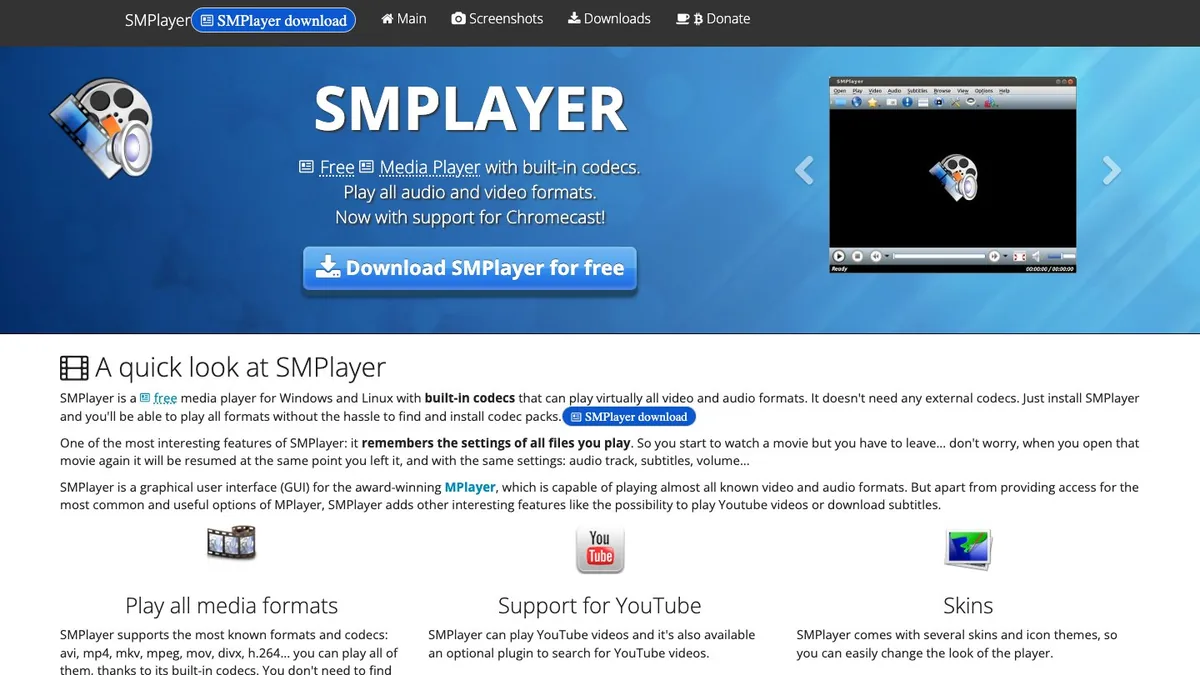
SMPlayer earns its place for its built-in codecs and memory of every file. SMPlayer is a free media player for Windows and Linux with built-in codecs that can play virtually all video and audio formats, and it remembers the settings of all files you play. That memory means a film reopens at the same point, with the same subtitles.
SMPlayer is available in more than 30 languages, is free and open source under the GPL license, and lists compatibility with Windows XP/Vista/7/8/10. It lost maintenance points because that compatibility list stops at Windows 10.
- No separate codec packs needed.
- Resumes files with their audio, subtitle and volume settings.
- Plays YouTube videos.
- Its compatibility list predates the newest Windows release.
6. KMPlayer

Free 64-bit Video Player
KMPlayer 64X
Best for high-resolution files on a PC
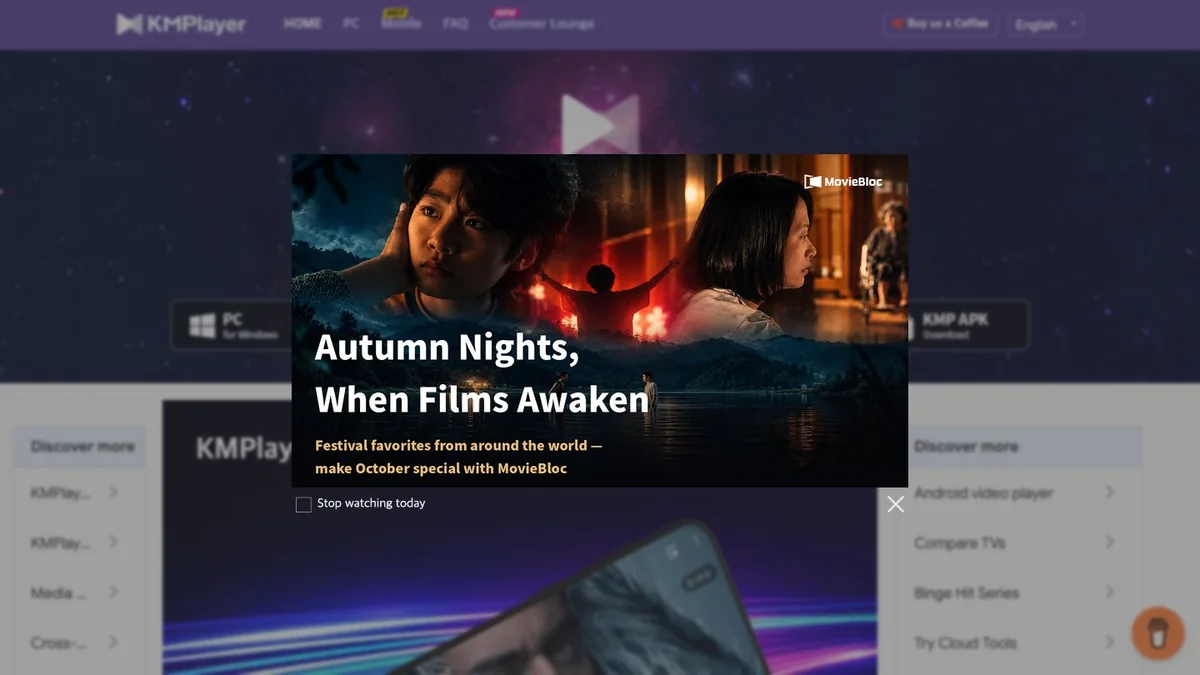
KMPlayer stands out for high-resolution playback. KMPlayer 64X is a free media player for PC with no advertisements that can play all high quality video including 8K video, UHD and 60FPS. Of the players here, it makes the clearest case for very large files.
It supports AVI, MPEG, TS, MKV, MP4, WEBM, MOV, 3GP, FLV, WMV and MP3, among others, and is optimized for low-end PCs through hardware acceleration. KMPlayer 64X can also download videos from YouTube, Instagram and Daily Motion.
- Free on PC with no advertisements.
- Plays 8K video, plus UHD and 60FPS.
- Hardware acceleration for low-end PCs.
- Premium features sit in the Android app.
7. Kodi

Free Open-Source Media Center
Kodi
Best for a PC connected to a TV
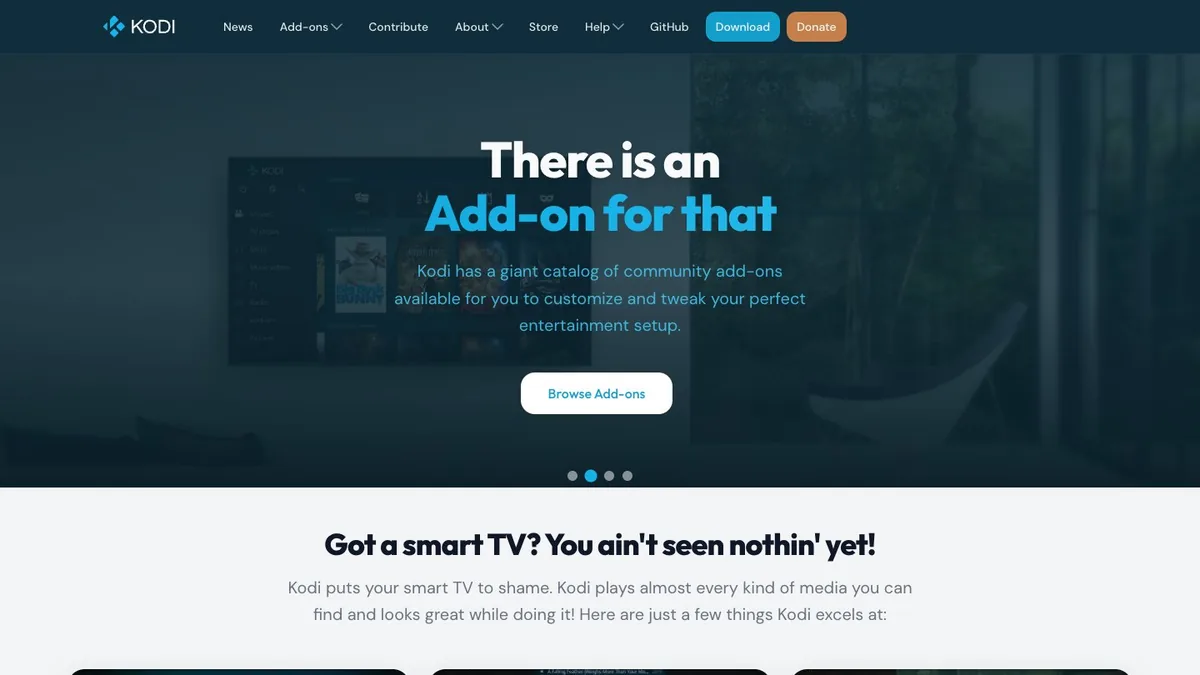
Kodi lands lower because it works best on a television rather than a desktop. Kodi is an award-winning free and open source (GPL) software media player that runs on Linux, OSX, Windows, iOS, tvOS and Android, designed around a 10-foot user interface for televisions and remote controls. The current Windows release is Kodi v21.3 (Omega), offered as 64-bit and 32-bit installers and through the Windows Store. The Store version installs and updates the way other Windows Store apps do, which suits a living-room PC you rarely touch.
Kodi does not provide any media content or sources, so users must provide their own content or configure third party online services. Treat it as a library and playback hub for files you own, not a streaming service.
- Built for big screens and remotes.
- Free and open source.
- A vast selection of community add-ons, plus skins.
- No content included.
8. DivX Player

Free Video Player and Converter
DivX Player
Best for DivX and AVI collections
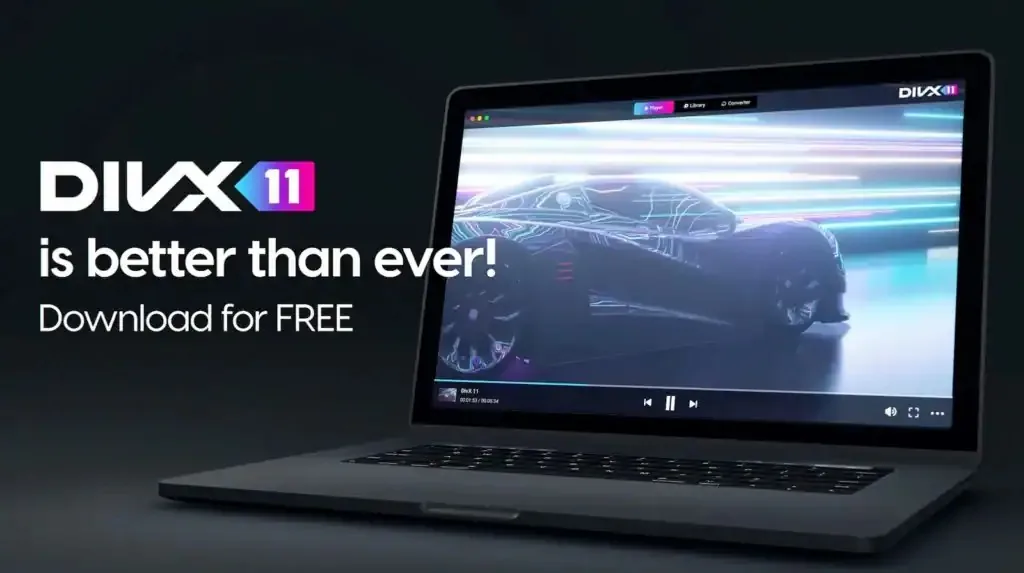
DivX Player edges out RealPlayer on cost. DivX pairs an advanced video player with a video converter, all for free, and plays high-quality video up to 4K resolution from formats such as AVI, DIVX, MKV and MP4.
Its converter creates videos compatible with 2 billion DivX Certified devices, and subtitle search covers over 50 languages from the OpenSubtitles.com database. AC3 surround sound comes with DivX Pro. If you want a louder or fuller sound in every player at once, a bass booster for Windows works system-wide. DivX scores low on maintenance because the captured features page shows no version number.
- Player and converter in one install.
- Built-in subtitle search.
- Plays 360° video.
- AC3 audio sits behind DivX Pro.
- The captured features page shows no version number.
9. RealPlayer

Video Player and Downloader
RealPlayer
Best for downloading and watching online video
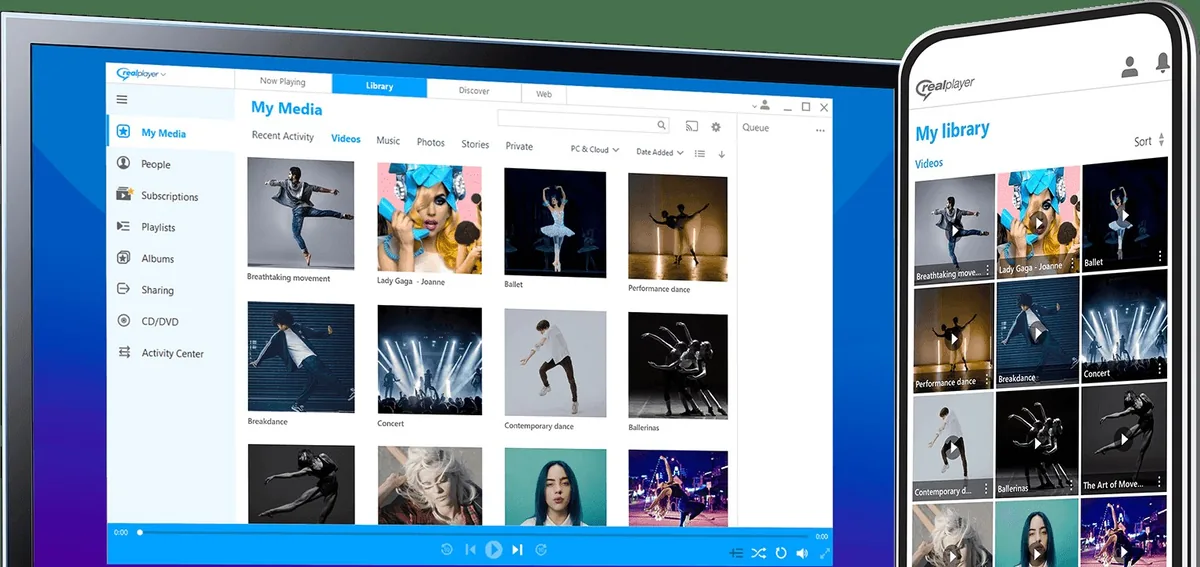
RealPlayer sits last because its headline features center on downloading rather than playback, and its full version costs money. RealPlayer 25 lets you choose your video resolution up to 8K when downloading, and lists RealPlayer Plus at $39.99.
RealPlayer supports a wide selection of video and audio codecs, from today’s newest codecs to RealAudio and RealVideo, the formats that keep classic titles playing. If your archive holds old RealVideo files, that support is the reason to keep it.
- Plays legacy RealAudio and RealVideo files.
- Built-in video downloader.
- Chromecast casting.
- Full features need a paid tier.
- Download tools crowd the player features.
Verdict by Use Case
VLC, with 7,136,777,306 downloads on VideoLAN’s counter, is the default answer, but the right GOM Player replacement depends on the job. The verdicts below match each player’s documented strength to a common use, from older PCs to a living-room TV.
- Best for most people: VLC, because it plays most codecs with no codec packs and has no paid tier.
- Best for older or low-power PCs: MPC-HC, which the original project says runs on any SSE2 CPU; get current builds from the clsid2 fork.
- Best for HDR and custom setups: mpv, for its GPU output and scripting.
- Best for a TV in the living room: Kodi, with its TV-first interface.
- Best for very high-resolution files: KMPlayer 64X, which lists 8K video, UHD and 60FPS playback.
How We Ranked the GOM Player Alternatives
Format and codec coverage carries the largest weight, 30% of the score, because the main reason to leave GOM Player is a file that will not play. Cost and ads, active maintenance, playback performance and extras such as subtitles, streaming and libraries share the rest, as the chart below shows.
View the data
Evidence used per criterion:
- Format and codec coverage: taken from each player’s own format and codec lists.
- Cost and ads: taken from each player’s price, license and advertising statements.
- Active maintenance: taken from current release numbers, release files and supported Windows versions.
- Playback performance: taken from documented hardware decoding, HDR and resolution support.
- Extras: taken from subtitle, streaming, library and customization features.
The candidate pool held thirteen Windows players, and four were excluded:
- GOM Player: the program being replaced. GOM Easy Pass costs $9.99 a month, alongside the one-time GOM Player+ license.
- PotPlayer: Its official site lists DXVA, CUDA and QuickSync acceleration and OpenCodec support, but its price and ad terms could not be confirmed on that site during this review.
- Clementine: Clementine is a modern music player and library organizer, so the Clementine Music Player belongs with the best music players for Windows rather than in a video list.
- Microsoft Media Player: The new Media Player replaces the Groove Music app and includes full support for watching your local video collection. It is part of Windows itself rather than a separate download, so it does not count as an alternative here.
Each remaining player was scored against the criteria above using the evidence listed. Where a player publishes nothing for a criterion, the score is an editorial estimate, and the notes below say so.
| Player | Codecs (30%) | Cost (20%) | Maintenance (20%) | Performance (20%) | Extras (10%) | Weighted total |
|---|---|---|---|---|---|---|
| VLC Media Player | 10 | 10 | 9 | 8 | 9 | 9.3 |
| MPC-HC | 9 | 10 | 9 | 9 | 7 | 9.0 |
| mpv | 9 | 10 | 10 | 9 | 4 | 8.9 |
| MPC-BE | 9 | 10 | 9 | 8 | 5 | 8.6 |
| SMPlayer | 9 | 10 | 6 | 7 | 8 | 8.1 |
| KMPlayer 64X | 8 | 8 | 7 | 9 | 8 | 8.0 |
| Kodi | 8 | 10 | 8 | 5 | 9 | 7.9 |
| DivX Player | 7 | 7 | 6 | 7 | 8 | 6.9 |
| RealPlayer | 7 | 4 | 7 | 7 | 8 | 6.5 |
Source: XtendedView scoring rubric applied to vendor and project pages, October 2026
Why each player scored where it did:
- VLC Media Player: full marks on codecs and cost; performance is an estimate, since its page lists no HDR detail.
- MPC-HC: strong on codecs and performance with newer codecs such as HEVC; fewer extras than VLC.
- mpv: top maintenance score for a current release and active development; lowest extras score for having no real GUI.
- MPC-BE: a recent release and current Windows support; fewer documented extras.
- SMPlayer: built-in codecs and resume; maintenance marked down because its compatibility list is out of date.
- KMPlayer 64X: high performance score for 8K video; maintenance is an estimate, since the captured homepage shows no version number.
- Kodi: free and current; performance marked down for a TV-first interface on a desktop.
- DivX Player: free with a paid Pro tier; maintenance is an estimate, since the captured features page shows no version number.
- RealPlayer: lowest cost score because full features need RealPlayer Plus.
Is GOM Player Chinese?
No, it is South Korean. GOM & Company, the maker of GOM Player, lists its address in Songpa-gu, Seoul, Republic of Korea, and the same page lists Windows 10 (64bit) or later and 2GB RAM as the Windows requirements.
Is there anything better than a VLC player?
For HDR playback, yes. MPC-HC plays HDR video when you use the included MPC Video Renderer or madVR, and mpv’s OpenGL, Vulkan and D3D11 video output handles HDR, color management and interpolation. For a general GOM Player replacement on a mixed library, VLC still covers more file types with less setup.
Conclusion
VLC’s 7,136,777,306 downloads on VideoLAN’s counter and its no-ads, no-tracking policy make it the clear first pick, with MPC-HC and mpv close behind for lighter or more technical setups. GOM Player+, at $11.00 one-time, is an outlay the top three alternatives never ask for, since all three are free.
Before you install, check the source: the clsid2 GitHub page for MPC-HC, the builders linked from mpv.io for mpv, and VideoLAN’s own site for VLC. That step matters more than the ranking, because an old download link can leave you on a build that stopped updating years ago.
Cite this page
Thakur, T. (2026, November 12). 9 Best GOM Player Alternatives for Windows. XtendedView. https://xtendedview.com/gom-player-alternatives-for-windows/
Thakur, Tushar. “9 Best GOM Player Alternatives for Windows.” XtendedView, 12 Nov. 2026, https://xtendedview.com/gom-player-alternatives-for-windows/.
Thakur, Tushar. “9 Best GOM Player Alternatives for Windows.” XtendedView, Last modified November 12, 2026. https://xtendedview.com/gom-player-alternatives-for-windows/.
Source: <a href="https://xtendedview.com/gom-player-alternatives-for-windows/">9 Best GOM Player Alternatives for Windows</a>, XtendedView
References23 sources from 13 publishers
- VLC media player
- Download official VLC media player for Windows
- VLC Download Statistics
- MPC-HC
- clsid2/mpc-hc: Media Player Classic
- Release 2.8.3 clsid2/mpc-hc
- mpv Official Site
- Release v0.41.0 mpv-player/mpv
Show all 23 sourcesShow fewer
- mpv.io Installation
- Global Potplayer
- Aleksoid1978/MPC-BE
- Release MPC-BE 1.9.1
- SMPlayer - Free media player for your PC
- KMPlayer Official Site
- About Kodi
- Kodi Windows Downloads
- DivX Software features
- RealPlayer PC features
- GOM Player
- GOM Player+
- Clementine Music Player
- New Media Player for Windows 11 begins rolling out
- RealPlayer 25




10 reader comments closed April 8, 2025
GOM player is the best period. What would anyone even think about an alternative?
haha some people needs advice.
I like VLC player. But sometimes I prefer to use GOM because it is very easy to operate from mouse.
Well indeed.
Do people still use GOM Player? Weird and Interesting.
Haha.
I have been using GOM for ages. But these days it is giving me some not responding issues while opening some files.
I shifted to VLC.
Thanks for your comment Hildegarde.
I love GOM. Why need alternatives?
Haha some people needs it.
This thread is closed to new comments.