


Microsoft revamps the appearance at least a little bit with every major Windows update. However, after some time, we will get tired of seeing the same appearance on the computer. That’s the same with the latest update as well. You, being here, looking for the best Windows 11 icon packs is the proof of it.
You know, Windows 11 is pretty new. For the same reason, not many icon packs have hit online. So, we are going with 7TSP themes, using which you can replace the old icons with new ones. Check our article about Windows 10 icon pack here.
Also Read:
- Best Windows 11 Themes & Skins To Download: Themes for Windows 11
- Best Windows 11 Themes, Skins and Icons for Windows 10 | 8 | 7
Best Free Windows 11 Icon Packs
In case you are not familiar with 7TSP, you need a guide to work with it, which you will find at the end of this article. First, we are going to have a look at the icon packs.
● Windows 11 Icon Themes
As a person who loves to revamp the appearance of your computer, you might have already stumbled on DevianArt. The website features myriads of themes for Windows PCs. What we have got here is a 7TSP icon pack, which includes six colour variants.
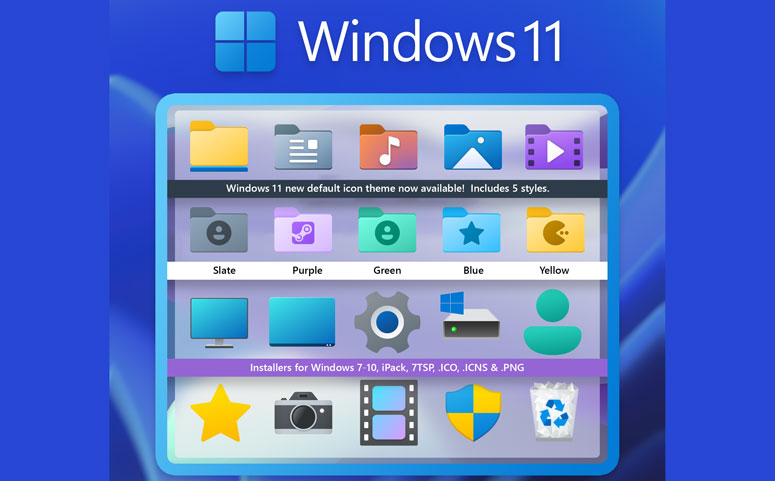
Once you decide to go with a variant, don’t forget to delete the .remove extension from the file name. The icon pack must be available in a compressed format so that 7TSP GUI can pick it up. Follow the steps we have given at the end of the articles to not botch up anything during the installation.
● 7TSP Windows 11 Icon Pack
Are you looking for minimal icons? Well, you have hit the right spot. With soothing colours and simple icons, this pack is going to woo you. Unlike the previous one, you don’t need an account to download here.
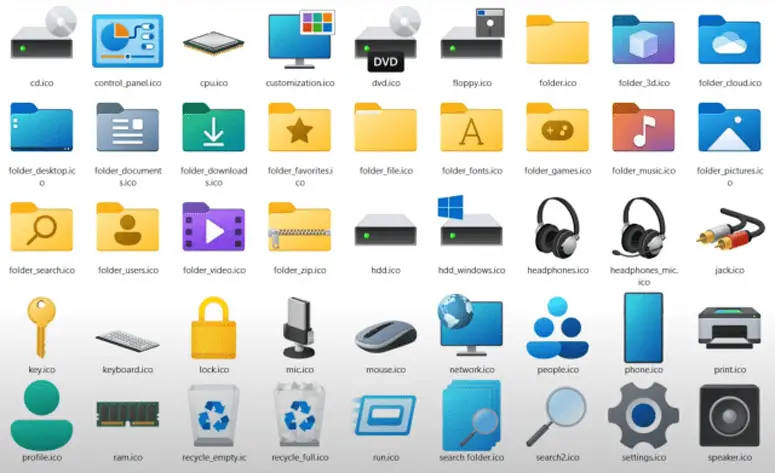
Use the download link given above, scroll to the bottom, and hit download. As a Windows 11 user, we don’t think you will find anything new with the icons. For Windows 10 users, it’s the perfect way to mimic the new OS environment.
● HUD Machine Destructor
A person looking for a fancy icon pack can’t settle for the previous entry in this article. That’s why we have included this refreshing set. With Blue and Black hues, HUD Machine Destructor will change the whole outlook of your computer.
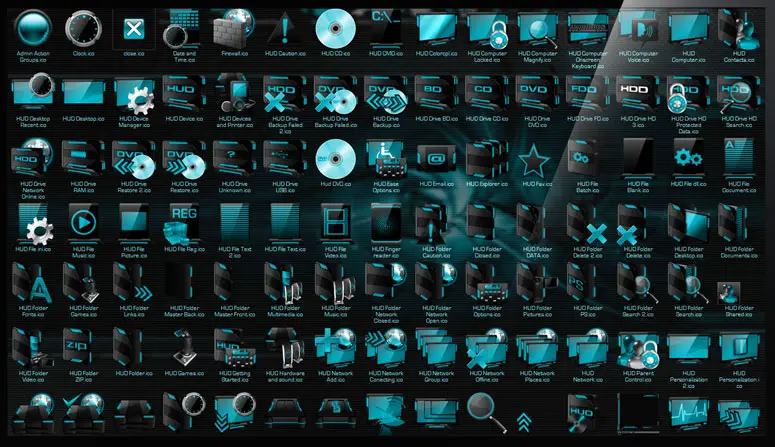
We have told you before and we will tell you again. Just follow the tutorial given below. The 7TSP GUI modifies the system configuration and altering the method may mess up your computer. You can download the file at once when you have an account. For guest users, there is a waiting period of about a minute.
● Big Sur 7TSP
Admit it, you love using a Mac machine. Even if you haven’t used it, you cherish the idea of having one. Big Sur icon pack for Windows 11 here helps you make your dream a reality.
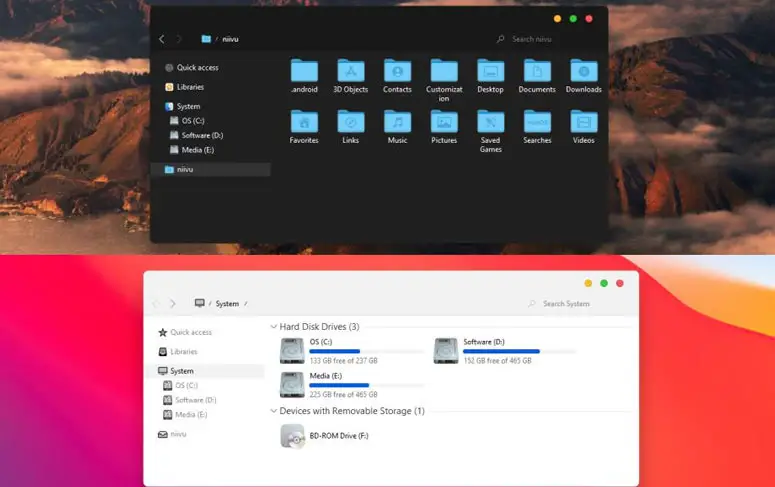
The file contains three variants; Standard, Light mode, and Dark mode. You are free to go with any of them. Moreover, you will also get a separate folder with icons for the quick dock. From the screenshot itself, you can sense how similar the icons are to the macOS.
● Magnum & Magnum Dark 7TSP
Unlike most of the 7TSP themes, Magnum doesn’t confuse you. It has got only one variant. We know some of you do prefer variants. However, for a beginner, Magnum is adequate.
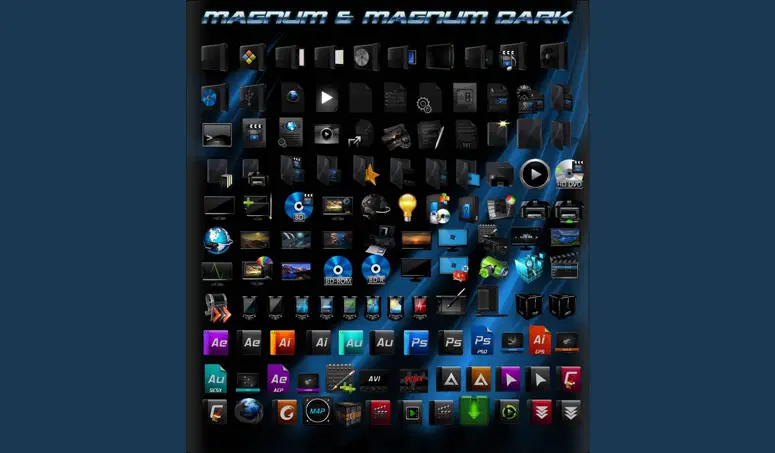
Almost all the default icons are in black colour. The vivid hues come into play when you look at other applications (for example, programs from Adobe). Just download the pack, add it on 7TSP and hit Start pathing. That’s it.
How to Use these Windows 11 Icon Packs?
You are going to fiddle with the system settings. Meaning, anything you do off the book may have the potential to ruin your computer. So, go through the steps with utmost care.
Step 1: First, you have to download the 7TSP GUI (for that, you need a DevianArt account). Now, open up the zip file.
Step 2: Inside the archive, you will see a file named 7TSP GUI. Extract the same to another folder and change the extension to .exe (most probably, it has a .ee extension).
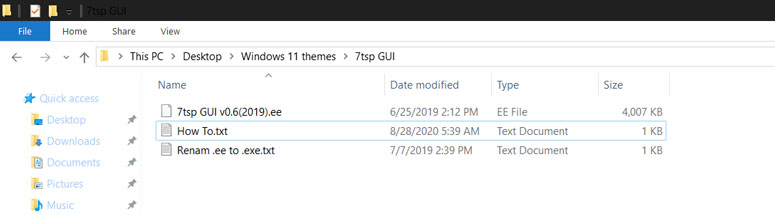
Step 3: Make sure you did everything as given in the above steps. After the verification, you must go download the icon pack (choose any from the list we have got).
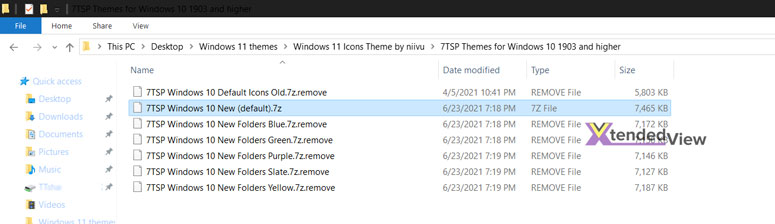
Step 4: Some themes don’t come in a usable way out of the box. For example, the first one (Windows 11 Icon Themes) needs you to delete a .remove extension from its file name. So, you have to make the icon pack usable.
Step 5: Now, open the 7TSP GUI application as an administrator. You may see a text file opening up. Go through it if you want. Select the .7z file and click add custom pack.
Step 6: On the box that appears, make sure you have enabled Create new Restore Point when Patching (or else, you can manually create a restore point as a backup plan in case something goes wrong).
Step 7: Before moving on to the core process, you have to uninstall other icon packs if any. The 7TSP GUI only works if you are using the default icons.
Step 8: Return to the 7TSP program and click on Add a custom pack and browse to the icon pack file (it mostly is a compressed file).
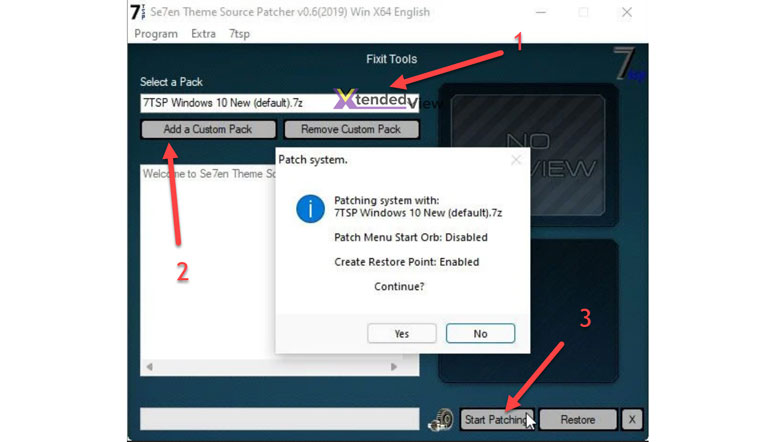
Step 9: Click Start Patching now and select Yes. The wizard will take some time to finish the process. Have patience. When the process completes, don’t forget to reboot the system.
Woohoo! There you go! You have installed a custom Windows 11 icon pack.
How to Remove the 7TSP Icon Pack?
Removing the icon pack is a walk in the park. You have to open the 7TSP GUI app, hit the Restore button, choose the first option (Restore modified system files to before 7TSP was used), and click Ok.
See? That wasn’t hard, was that?
Final Words
We hope you are satisfied with what we offered. You got a few beautiful Windows 11 packs and the method to install them. As the number of themes increases, we will update this article. Don’t forget to leave your valuable feedback in the comment section down below.




4 Comments
Can I use these icons on Windows 10?
Yes you can use it Gary.
i didn’t understand how to download this ??
i can’t download it on windows 10