



People root their Android devices for a variety of reasons. Some people want to remove bloatware from the device, while others want to unlock some extra features. Many people want to try out new ROMs and other apps. However, rooting your smartphone is like opening the door to a mystery world: there are many things you can explore.
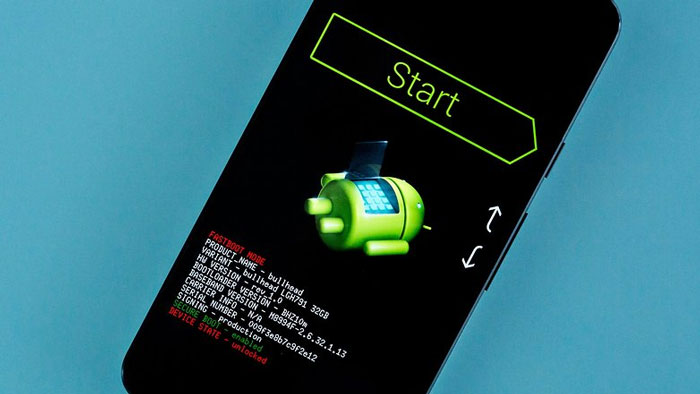
And to get the best experience, you need the best root apps for Android. Now, we are talking about a unique set of apps when we talk about the best root apps for Android. Although you can use virtually any Android app on a rooted phone, some apps perform better. And we have selected the best 7 apps for rooted phones you can get.
Recommanded: Best Font Changer Apps For Android With Root & Without Root
Note: There are virtually thousands of apps you can install on a rooted Android phone. However, as we can’t cover all of them, we have selected the best options from major categories like security, productivity, etc.
#1 Franco Kernel Manager
Many users customize their Android devices to run custom ROMs and kernels with ease. With the standard restrictions from the manufacturers in place, you cannot do these things. Once you have root access to the device, you will need an app like Franco Kernel Manager to manage multiple kernels. The app can help you control various devices and kernels, but you will have an optimized experience if your device runs on Franco Kernel.
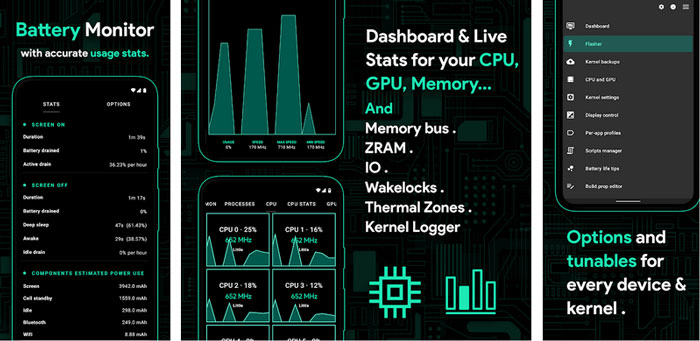
As a standard kernel manager, this app will help you auto-flash kernels on your device. You can also improve the battery backup and performance of the device with a few taps. There are also options to back up multiple settings with ease. Last but not least, you can check out different themes and typically unavailable statistics using the panel. Altogether, this free kernel management app will make it easier for you to customize your Android device even further.
#2 System App Remover
Probably the second reason why most people root their devices is to remove bloatware. As you know, even the most original Android device ships with some system apps that you cannot remove. However, with the help of the System App Remover app, you can entirely remove bloatware from your device. There are also some options to move apps to SD cards, install apps from different sources, and quickly get rid of pre-built apps like the Google suite.
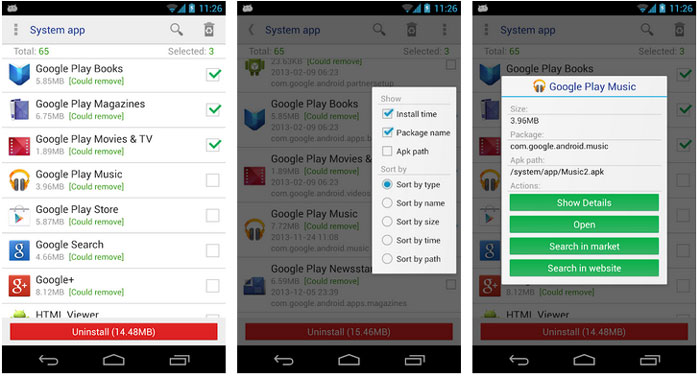
You can use this app for a variety of needs. First and foremost, if you have a smartphone with bloatware on top, you can mass-remove these apps. Getting rid of Google’s apps like Play Music and Books will help you increase available storage space as well. The second step will be helpful if you have a phone with limited storage space. Compared to other apps for the same need, System App Remover is safe, easy-to-use, and packs more features.
#3 MiXplorer Silver
There is no point in having root access if you lack an option to navigate around. While there are many Android file managers that offer root access, we recommend checking out MiXplorer Silver. Instead of being a simple file manager, this app combines a number of features. For instance, this version comes with options to make and extract archives, manage images, tag files, edit metadata, and manage PDFs. So, even though it costs a couple of dollars, the features substantiate what you pay.
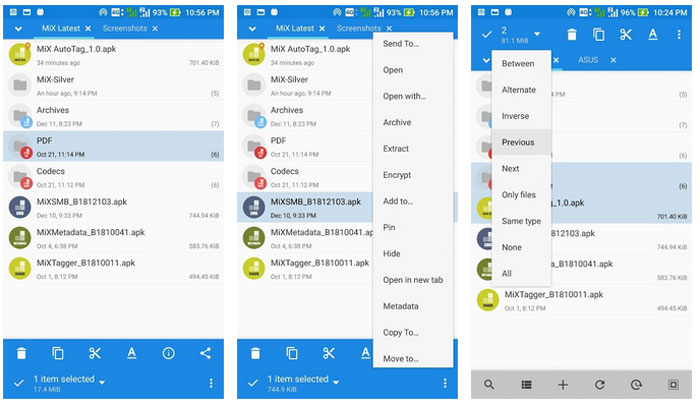
As you start using the MiXplorer Silver app, you would discover more features. For instance, you can enable theming options and choose a color that you like the best. You also get options like unlimited tabs for storage browsing, advanced search functions, integration with cloud storage platforms, FTP/HTTPS server options, media player support, and encryption. In other words, if you have this root app, you do not need anything else to manage files/media.
Read More:
- 8 Best File Manager Apps for Android
- 4 Best Free Antivirus for Android Phone
#4 Migrate
Migrate is a must-have app for users who want to check out different custom ROMs on their rooted Android device. As you know, the standard process of flashing ROMs on Android is a little tricky. You may lose all the settings and preferences at a point. However, Migrate smoothly fixes these problems. It is worth noting that the app is still under development, but folks at XDA Developers have been using and suggesting this app.
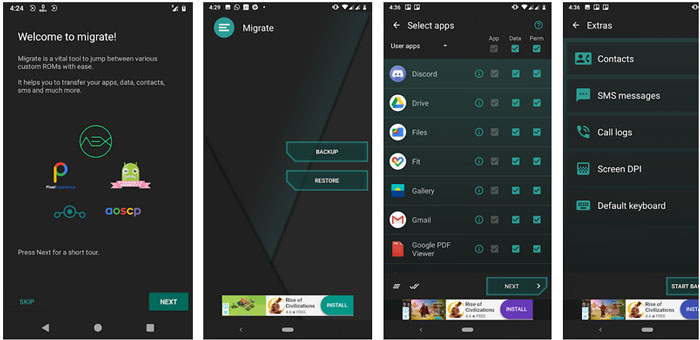
You can use the Migrate app to back up all your apps, app data, call logs, SMS logs, contacts, ADB state, font scale, app installer, app permissions, etc., into a single zip file. Once you have set up the new ROM on the device, you can flash this zip file to restore all this data and preferences. Because the app receives regular updates from developers, you do not have to worry about compatibility issues. If you keep testing the newer versions of custom ROMs, Migrate is a must-have root app.
#5 Tasker
Tasker is not a root-only Android app in the first place. You can use Tasker on almost all Android devices to customize and automate things. When you have a rooted smartphone, however, you can extend the real possibilities of this automation. For instance, you cannot set up system settings as a trigger in the app in the normal version. Tasker with root access solves this problem since it has complete access to your Android phone’s controls.
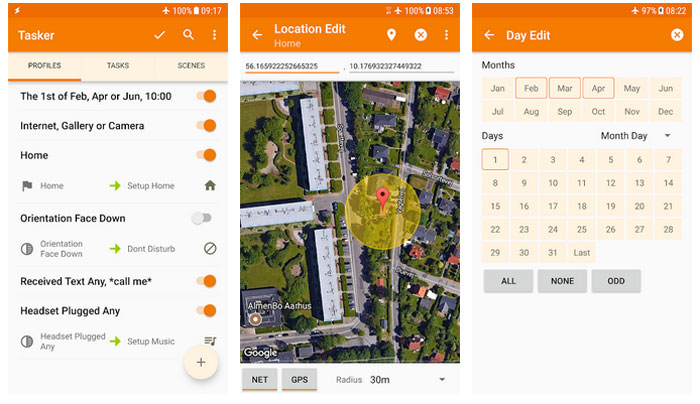
You should keep in mind that Tasker does not enable Internet-of-Things automation. All the customizations happen within the device, but you can even create custom-made scenes and app creation. You can also pick one between hundreds of actions and triggers. For instance, you can set up your Android phone to turn off mobile data whenever connected to a Wi-Fi network. The app also comes with a premium version, which unlocks so many features.
#6 Greenify
Let’s just say you don’t want to check out custom ROMs or Kernels using root access. Instead, you just want to improve the overall security and performance of the device. In that case, you should check out Greenify, an app that would enable an Aggressive Doze Mode on your Android device. It means the device will try to conserve more energy when sitting idle. More importantly, Greenify has a robust algorithm that can find problematic apps from the list.
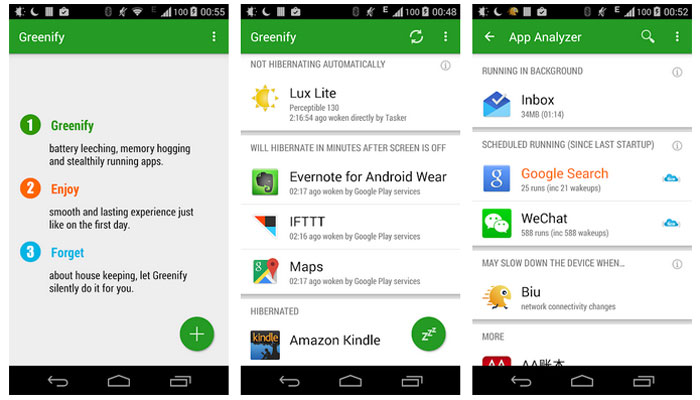
It is worth noting that Greenify is one of the most popular apps among productivity enthusiasts. Instead of letting the OEM decide which apps to shut down, you can restore control. Once again, the app comes from a trusted developer, and you can avail of tech support and community support at all times. In the end, the app is privacy-friendly and does not collect any sensitive data from your side. The core app is available for free, but you can always donate.
#7 Magisk
Magisk is not an app but more of a system that you can install on an Android device. This system allows you to make changes on your phone without actually reinstalling or shifting between custom ROMs. It means you can bring in new features to the existing ROM by installing Magisk. However, to get started, it is necessary to root your device and flash Magisk using a custom recovery tool, such as the TWRP Recovery suite.

Once you have installed Magisk, you can do countless things on your Android device. You can install newer modules as new features become available. However, you should ensure that Magisk complies with Google’s SafetyNet checks that happen once in a while. We must warn you that Magisk, even though simple, contains more power than the other apps on this list. Therefore, you must be careful while checking out features that are under experiment.
The Bottom Line
In a way or another, all these root apps can offer a better Android experience. However, you must be a little careful while exploring all these features. For one, we have mentioned only the top, trusted, and privacy-friendly apps from the list. So, you can install them on your rooted phone worry-free.
Cite this page
Thakur, T. (2024, March 22). 7 Best Root Apps for Android (Best Apps for Rooted Phones). XtendedView. https://xtendedview.com/best-root-apps-for-android/
Thakur, Tushar. “7 Best Root Apps for Android (Best Apps for Rooted Phones).” XtendedView, 22 Mar. 2024, https://xtendedview.com/best-root-apps-for-android/.
Thakur, Tushar. “7 Best Root Apps for Android (Best Apps for Rooted Phones).” XtendedView, March 22, 2024. https://xtendedview.com/best-root-apps-for-android/.
Source: <a href="https://xtendedview.com/best-root-apps-for-android/">7 Best Root Apps for Android (Best Apps for Rooted Phones)</a>, XtendedView

9 reader comments closed March 22, 2025
Will they work on my Oneplus7 mobile?
Yes, it will. You need to root your mobile.
What do you mean by root?
It is a gaining access to the Android Internal file system. I think if you are asking this question then you don’t need to go ahead with rooting.
Will rooting cause any issue to my phone?
Yes, it can. Depending on how good you are at the rooting process. Also, there can be other issues that affect rooting such as warranty void.
Can I follow the same process of rooting iPhone and use similar apps?
No Marta. Unfortunately, there is no such thing as root in iPhone. They have a strong encryption.
yes, it will you need to root your mobile .they have strong encryption.
This thread is closed to new comments.