

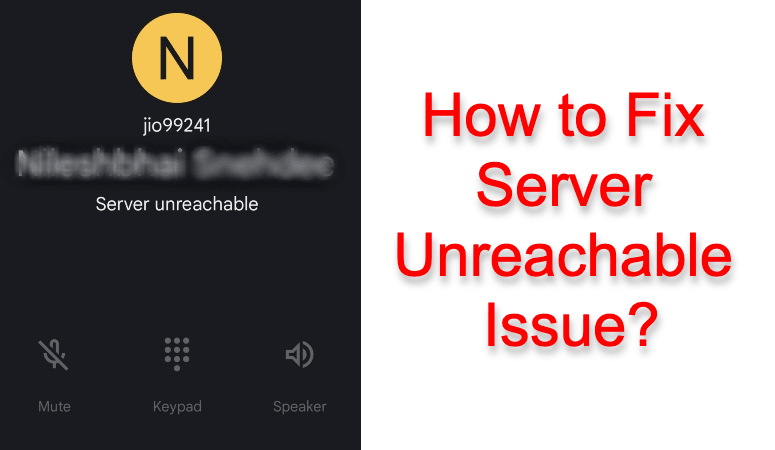
Imagine you want to call someone for an urgent matter. You pick your phone up, locate the contact, make the call, and boom! It shows a server unreachable notice. How irritating is that!
Many Verizon customers reported having faced this issue. Are you one of the troubled users? We are going to dig deep into the causes and solutions for this problem. If you want to learn more mobile applications, check Thoughtsoncloud. Without further ado, let’s get started.
Fix Server Unreachable Problem while Calling
The basic solution is to re-establish the connection between your device and the internet. The problem occurs when your phone doesn’t have an active data connection.
Also Read:-
Server Unreachable Meaning
We have already given you the meaning. Your phone can’t seem to connect to the internet. Several factors can come in the middle.
Weak or No Signal
Check the signal strength on your phone. Is it adequate? Is it zero or negligible? When the signal strength is lower than needed, you may experience issues while calling.
Operator Server Down
We expect the telecom network to be always up and running. However, some technical glitches may bring their server down. If and when that happens, error messages like ‘Server error. Try again later.’ appears.
Faulty SIM Card
A faulty SIM card may also be the culprit. Sometimes, the metallic portion (chip) of the card may go damaged, causing the phone to exhibit network-related issues. You should also check whether or not the SIM is inserted in the right way.
Airplane Mode
We all know what airplane mode or flight mode is. When enabled, it will isolate you from the network signals. And, that would cause server unreachable problems.
So yeah, the above given are the possible reasons behind the error. Now that you are aware of the causes, let’s move on to the solutions.
The server is Unreachable when Making a Phone Call! Solutions.
As we always say, no one can guide you to a one-stop solution when it comes to technical difficulties. For the same reason, we are going to give you a few solutions, of which one is going to strike a chord.
Make Sure the Mobile Data is Turned on
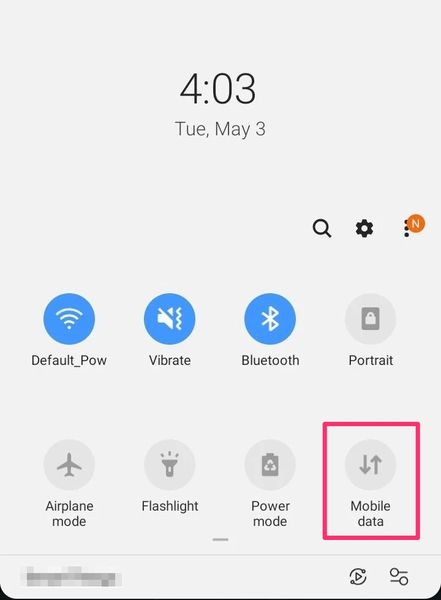
The root cause of the problem is the inability of your device to establish an active internet connection. So, we are going to enable mobile data if you haven’t done it already.
We hope you know the process. Just swipe down from the notification area to see the toggle. Make sure it’s on (on some phones, you need to swipe up from the bottom).
Eject and Re-Insert the SIM Card
The improper insertion of the SIM card may lead to issues with phone calls and the internet. Take the SIM ejector tool and gently press it into the hole on the tray. You can now pull the tray out. Ensure the card is properly placed. Then, re-insert the tray.
Insert the SIM Card into Another Device
What if the re-insertion of the SIM card doesn’t work? Maybe, the SIM is damaged. To make sure of it, you should insert the SIM into another device.
Can you see the same issue? If you can, it all emerges from the SIM card itself. You need to bring the SIM card to the telecom operator. They can give you a duplicate SIM card with the same number.
Restart Your Phone
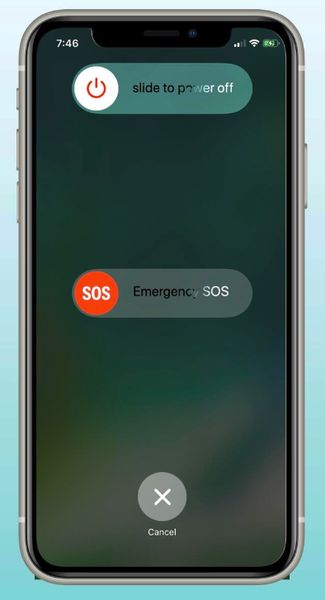
Many problems go away with a simple reboot. Still, we roam around the web for complicated solutions and as a result, we even brick the phone. Once you go through the fixes given above, restart your phone.
For most devices available today, pressing and holding the power button gives you the option to reboot. Just press on the same. Wait for a few seconds. There you go!
Turn off Flight Mode
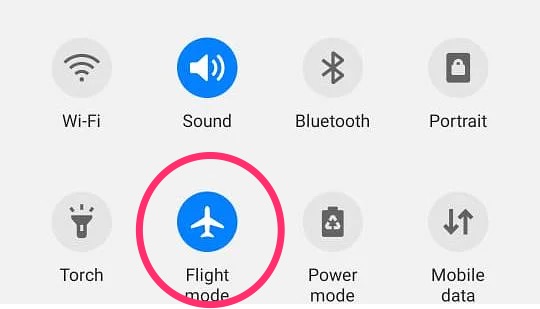
Flight mode is an option to evade the network signals. Meaning, it doesn’t allow the device to connect to the telecom server. In the same way as turning on mobile data, you can disable flight mode as well. Just use the toggle by swiping down from the notification area on the top of the screen.
Move to an Area with Decent Signal Strength
Have you checked your network strength? On the top of the screen, all the phones show a signal bar. If it’s low or zero, you will see the server is unreachable when making a phone call notice. So, you should move to a place where the signal strength is decent.
Update Your Phone
Even in this era, some people ignore mobile updates. To stay secure, you shouldn’t do that. Every update comes with improved safety and bug fixes.
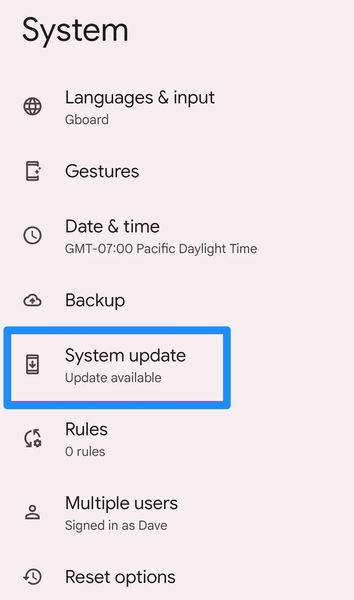
Go to Settings>> System>> System updates. In case you have any updates pending, they will appear there. (The steps may subject to vary from manufacturer to manufacturer).
Reset Access Point Names
Simply put, an access point name is a doorway to the internet. It makes our device a part of the global network. We are going to reset our APN settings.
On Android, follow the steps given below.
- Open Settings on your phone and choose the Mobile network.
- If your phone carries two SIM, choose the one you are having issues with.
- Now, go to the Access point name.
- Tap on Reset to defaults.
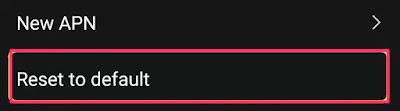
That’s it! What if you are on iOS?
- You have to follow Settings>> Cellular>> Cellular Data Network.
- Can’t you see Reset Settings there? Just press that.
Not getting server unreachable prompt? We have got one more solution.
Turn off the Advanced Calling Option
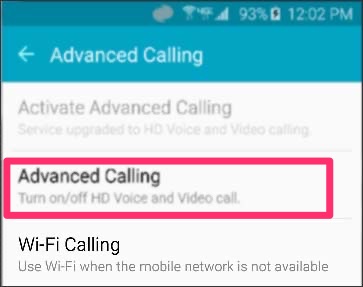
Many Verizon users have tried this fix and found it to be working. You have to bear in mind that once you go this route, you can’t use mobile data while on call.
- Go to Settings>> Wireless & Networks>> Cellular Networks.
- You get a feature called Advanced Calling there. Deactivate the same.
To make the changes come into effect, reboot the device.
Frequently Asked Questions
When you see this error message on a mobile phone, it means there is no active internet connection available. You need to make sure a mobile data or wireless network is connected to the device to avoid this issue.
You can’t do that. The server is not in your control. They are controlled by your telecom network. In short, you can’t reset your phone server.
We have already given you the answer. You can’t do anything to the server. The server is not placed inside your phone. So yeah, you can’t update your phone server.
The solution is no different than what is on Android. You have to connect the phone to the internet. If the issue persists, check whether the SIM card works. And then, try restarting your iPhone. Moreover, don’t forget to update your phone to the latest iOS version.
Many Verizon users reported having this server error. Of course, you can fix it. Go to Settings>> Wireless & Networks>> Cellular Networks and turn off Advanced Calling. That’s it.
Also Read:- How to Fix Mouse Lag in Windows 10
Conclusion
The server unreachable error is not an incurable tech glitch. We have given you about nine fixes to help you evade this issue. Don’t forget to go through each one of them. We are happy to see if you know of an unlisted workaround. Go to the comment section and scribble the solution there. We will be happy to update the article with your fix.