

Not everyone can afford a MacBook, let alone an iMac. Still, everyone dreams about having a MacBook one day. What if we tell you today, you can make your dream come true. Yeah, using some of the best Mac themes for Windows 10 and Windows 11, you can experience the unique aesthetics, which were otherwise forbidden.
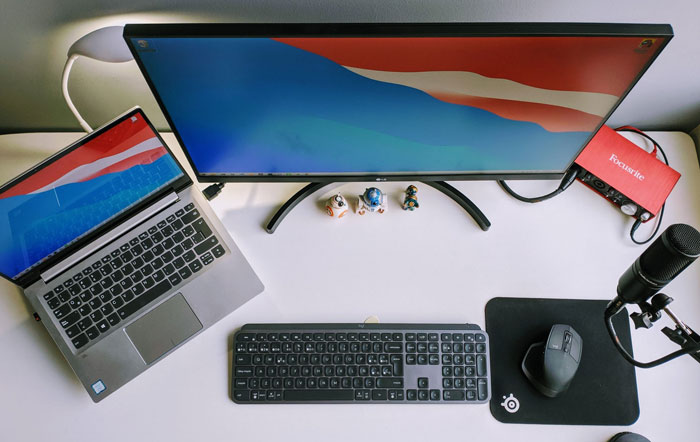
A simple Google search will get you many such themes at your fingertips. However, handpicking the best from a lot is going to be a headache. Don’t worry! We are going to help you. Transform your Windows 10 and Windows 11 into MacOS various versions such as. MacOS X, El Capitan, Sierra, Big Sur, Monterey, Catalina with these themes pack.
Best 10 Mac Themes for Windows 10
You can’t turn your Windows PC into a Mac machine just by downloading a theme. Knowing to use the skin pack is as important as downloading it. So first, we are going to have a look at the steps to install the theme. Also check Windows VPS Hosting for your website and apps.
How to Install a Mac Theme on Your Windows 10 Computer?
Step 1: It’s obvious, isn’t it? You have to download the installer. Don’t get confused! Use our next section to select a theme.
Step 2: Most themes come in a zip file. So, you will have to unzip the contents into a folder of your convenience after downloading (in search of a file extractor, our choice is WinRar).
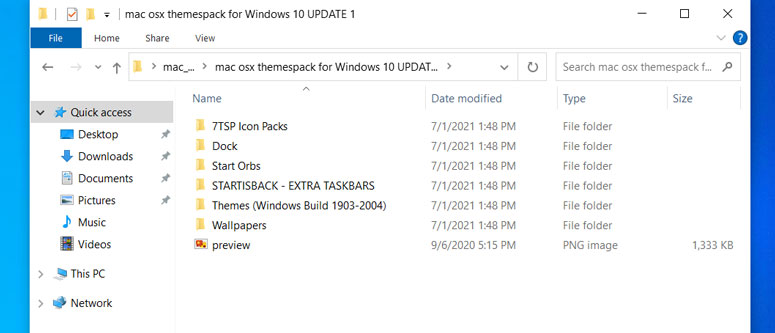
Step 3: You will find various files like themes, wallpapers. Follow on-screen instructions and it won’t take more than five minutes to finish the installation.
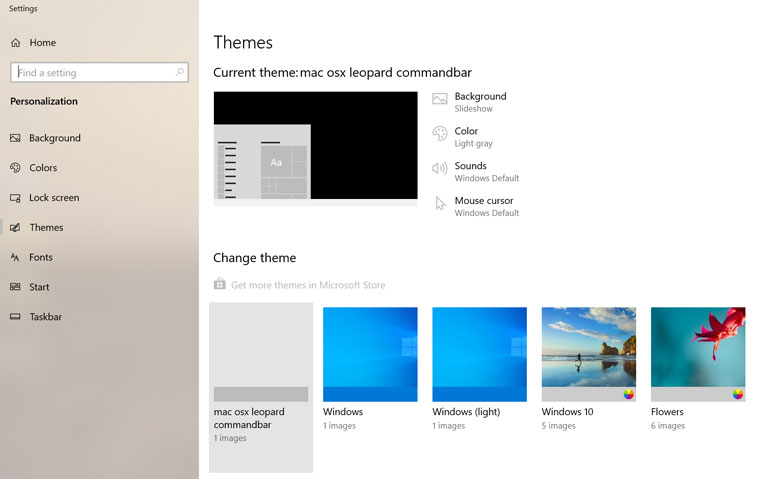
First, go to Themes and apply it.
Step 4: After installing all icons, patcher etc (depending on the theme files) It will ask you to restart your system if not then also restart your system. You should do that to see the appearance changes in action.
Bingo! You now know installing a Mac theme on your Windows computer is as easy as installing any other application. What if you want to uninstall the same?
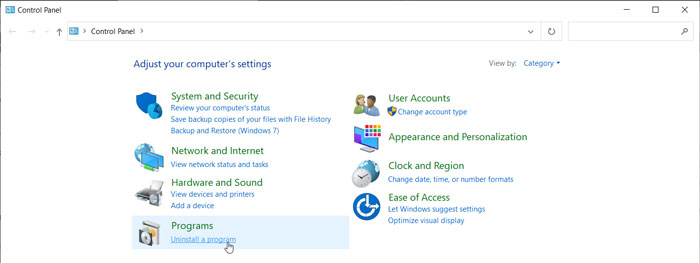
Open the Control Panel and go to Programs and Features. You will see the installed theme there. Right-click on it and hit Uninstall. Phew!
Caution:- If you are running a PC with limited resources (say, for example, a computer with low memory), the performance may decrease after installing the theme. Once you remove the program, everything will revert to being normal.
Also Read: How to Run Android Applications on MAC
10 Best macOS Skins for Windows 10
We have chosen ten of the best MacBook themes from many available on the web. Is your patience wearing thin? Here the list goes.
1) macOS Sierra SkinPack
When you install this theme pack, you will blame yourself for not getting it earlier. The developers have tried their best to mimic everything that’s there on the original OS from Apple (be it the login screen, icons, file explorer, or the dock).
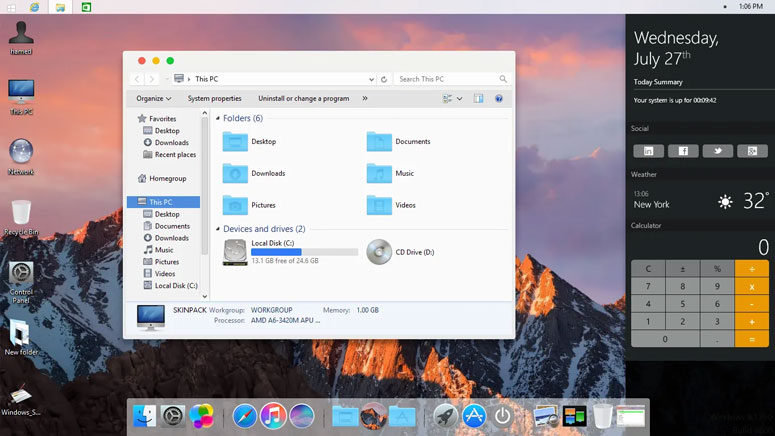
Even the boot screen will imitate Apple once you install Sierra SkinPack. On the download page (where you can also find the zip file password), they say they release regular updates to fix bugs. So, what are you waiting for? Given that you can always choose to opt-out, don’t hesitate to get your hands on it.
2) macOS Transformation Pack 5.0
Here comes yet another complete Mac look like skin for Windows. It will change everything you see. That’s the aim, right? By changing the sounds, cursors, fonts, and even the Finder bar, the theme emulates the perfect macOS environment.
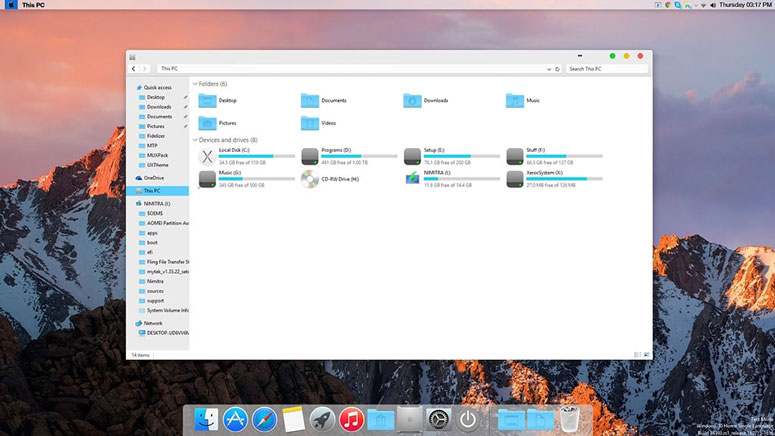
The latest version has brought three changes; High Sierra and Mojave wallpapers, updated Resource Hacker version, and changed default framework to Aero theme. In case you think you will botch up everything, create a restore point first.
3) macOS X Theme for Windows 10
Just like Microsoft does for Windows, Apple also releases multiple iterations of macOS. The one you are getting here turns your computer into the version, Snow Leopard. And, you will have to create an account on Devian to download the theme.
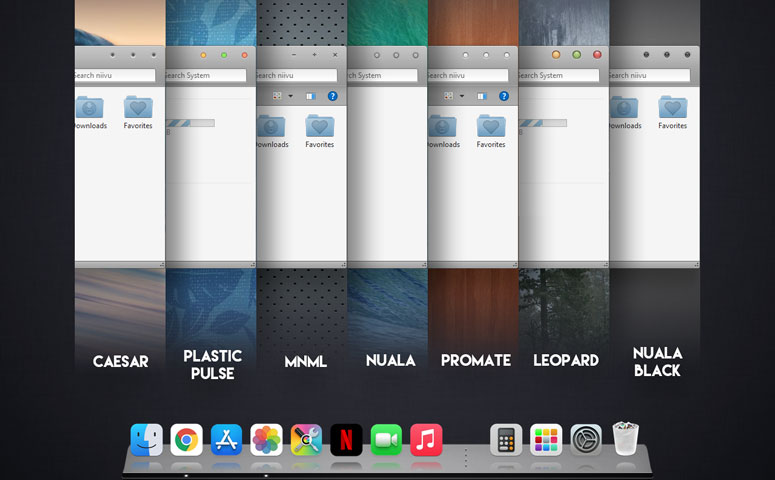
For an optimum experience, the developer recommends the users grab four third-party applications; UltraUXThemePatcher, OldNewExplorer, OneSettings, and StartIsBack. On the download page, you can see appreciation comments from hundreds of users, which are proof that the skin pack works just well.
4) macOS Monterey SkinPack
Don’t jump into installing this macOS skin for windows 10 right away if you already have another one on your system. First, uninstall it and then check this out. There are two versions available; paid and free.
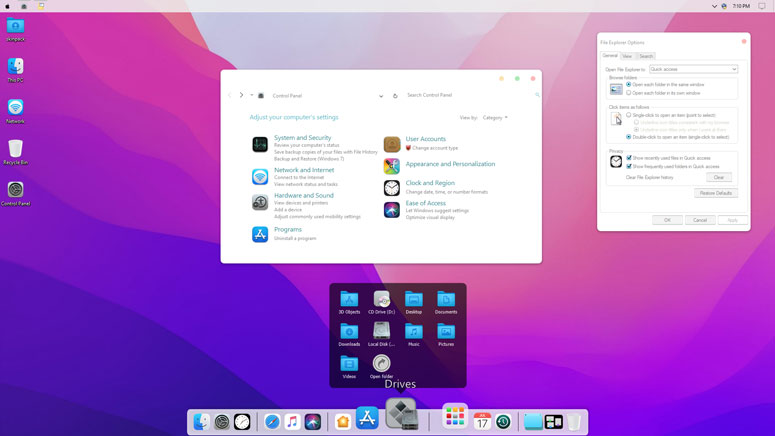
The free or Lite version doesn’t change the icons. For that, you will have to bag the paid version. Don’t want to go that far? Don’t worry! You’re free to choose other themes in this list.
5) Big Sur 2 macOS Theme for Windows 10
Comes from the developer of the macOS X theme (third in this list), the theme itself vouches for the quality. In case you don’t know, Big Sur is the latest released version of macOS (Monterey is yet to go live).
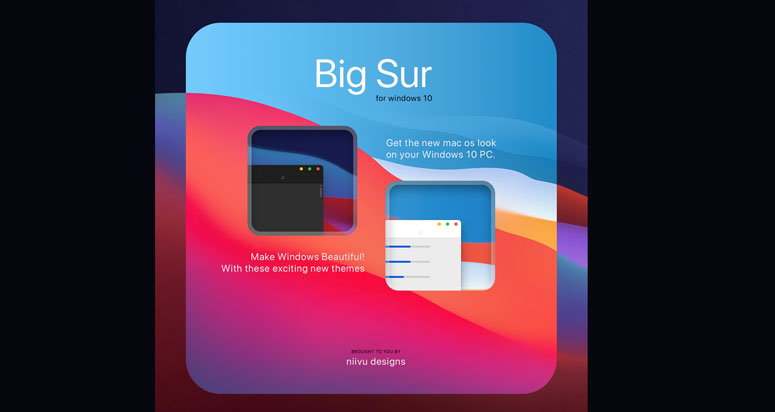
Apart from the prerequisites we mentioned under the third subheading, you need the Disable Folder Thumbnails program to achieve a minimal look. The features include Day, Night, and Dark modes, dock icons, start obs, and more.
6) macOS UX Pack 5.0
Are you still here? Chances are you haven’t stumbled on your favourite pack yet. What if we give you skin that always stays updated? macOS UX Pack comes with everything needed to transform your Windows computer.
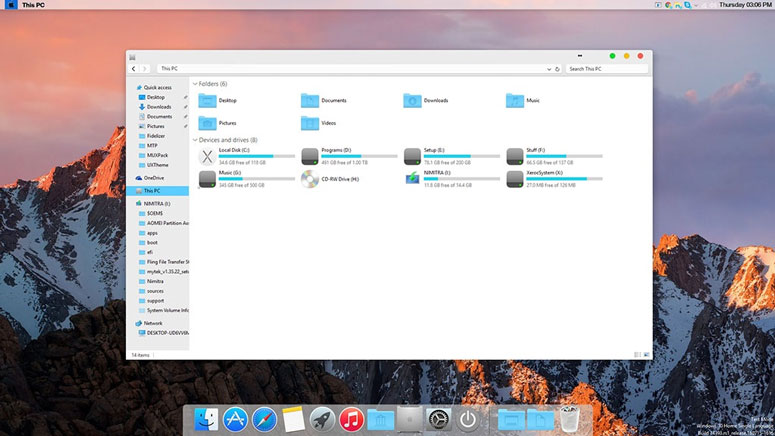
Right from the logon screen to dock emulation, it has got them all. The developer of this theme took inspiration from all the exquisite skins from the past. Rest assured, you get the best.
7) Mac OS X El Capitan theme for Win10
Unlike other skin packs available here, the installation of this one is a bit different. No, you don’t have to deal with a long snippet of code, don’t panic. Just paste the theme files into C:\Windows\Resources\Themes, and then select the same from Appearance.
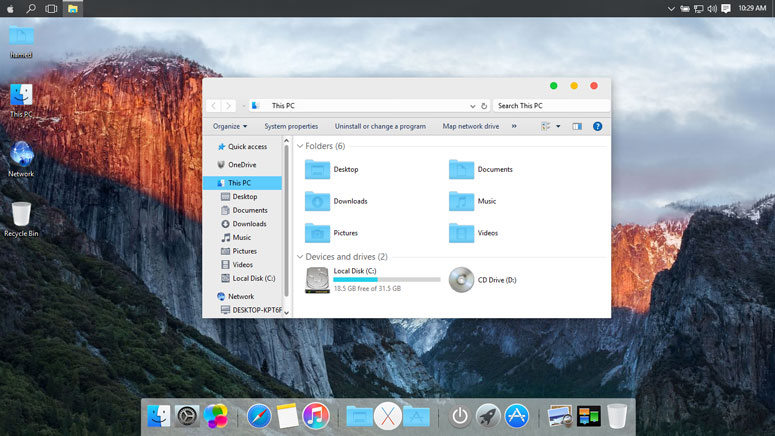
That’s about it. For it to work, you will have to install UXThemePatcher. Hate that ribbon on the top of Windows Explorer. Grab Ribbon Remover to hide it.
8) Mac OS X Lion Inspirat DP3
Do you have a Windows 7 PC? Here comes a piece of good news for you. This one supports Windows 7 as well. Yeah, this pack will bring the beauty of macOS to your old computer.
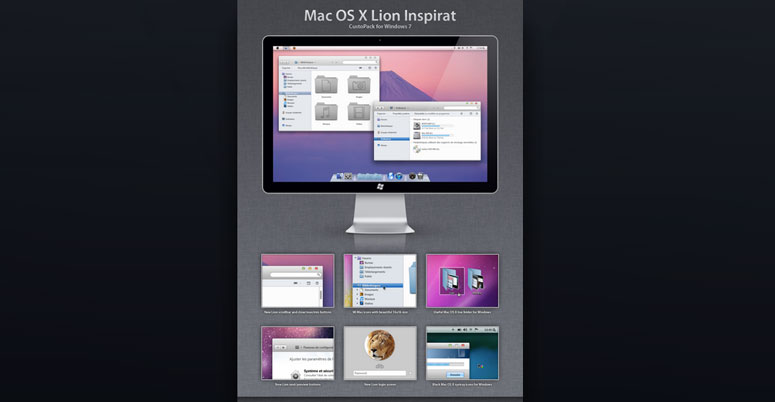
One complaint a few users say about this is its inability to change the minimize, maximize, and close buttons. Weirdly enough, the demo video shows even that is possible.
9) Mac OS X Windows 10 Theme
Want a borderless design? Mac OS X Windows 10 theme has got it. There are two versions for you to choose from; with and command bar.
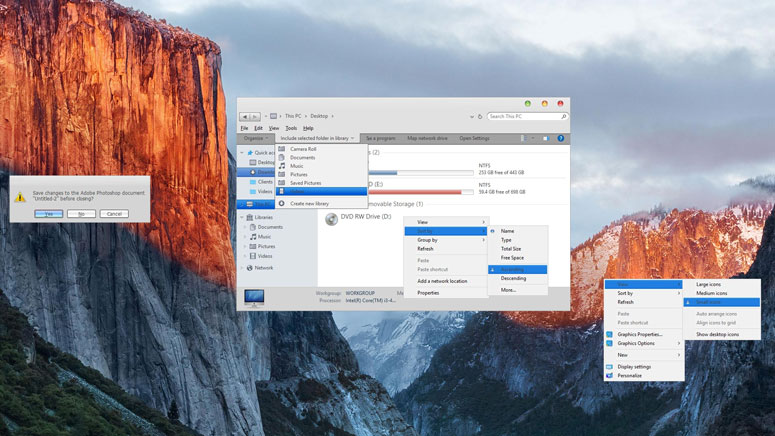
To achieve extreme similarity with the original macOS, you will have to install and run OldNewExplorer, UXThemePatcher, Finderbar and Rocketdock.
10) Mac Theme from ThemePack.me
On the download page, you will see two versions (Windows 10 and old versions). So, no questions about compatibility arise. Lucky for you, they have included multiple wallpapers too.
Installation requires no additional steps. Download and extract the files and open the deskthemepack file. That’s it.
Conclusion
So yeah, you have got the ten best macOS themes for windows 10. We have only included working skins here. If you think we have missed out on one, drop a comment below. And, don’t forget to share with us your experience with any of the packs mentioned in this article.
Cite this page
Thakur, T. (2024, July 5). Best Mac Themes for Windows 10 : Transform Windows into a Mac. XtendedView. https://xtendedview.com/best-mac-themes-for-windows/
Thakur, Tushar. “Best Mac Themes for Windows 10 : Transform Windows into a Mac.” XtendedView, 5 Jul. 2024, https://xtendedview.com/best-mac-themes-for-windows/.
Thakur, Tushar. “Best Mac Themes for Windows 10 : Transform Windows into a Mac.” XtendedView, Last modified July 5, 2024. https://xtendedview.com/best-mac-themes-for-windows/.
Source: <a href="https://xtendedview.com/best-mac-themes-for-windows/">Best Mac Themes for Windows 10 : Transform Windows into a Mac</a>, XtendedView




9 reader comments closed March 22, 2025
Do these themes slow down my PC?
A little bit but yes it will.
Nice list. Can I use them on my latest Windows 11 insider preview copy?
If the theme is supported you can use it. Please click on the theme link and see if it is supported. Thanks
I have Windows 8.1 in my system. Can I still use these themes? Please let time know. If you have any theme that specially supports Windows 8.1 please update them.
Yes, you can use them in Windows 8.1. Once you click on the theme link you will find a list of OS supported.
I don’t.t know How to set up Big Sur 2 macOS Theme for Windows 10 Can you help me
I’d like to dee someone offer an actual .theme package instead of what could be described as a “to do” list and a bunch of parts.
HEY HELLO,
So the 9th theme the Mac OS X theme is the one i want but the link you gave when i try opening old new explorer it doesn’t open and the 2nd download link when clicked says 404 can you please help me and give a link that works man.
This thread is closed to new comments.