

Not having a Hulu account is a huge loss when you do not want to miss any piece of entertainment. But do you know what is worse than not having a Hulu account? Well, having an account but not being able to use it. Since you are here, we can assume that you have wondered why Hulu keeps logging me out. If you did not know, it is one of the common issues that Hulu customers come across.

Imagine being all ready to watch your favorite TV series and getting logged out by Hulu. On the flip side, you do not have to worry about the issue so much. You can fix the Hulu keeps logging me out issue in a few seconds. However, you cannot expect a single method to work all the time. Therefore, we have prepared a list of the best ways to fix the Hulu keeps logging me out error.
Note: Even though the issue is common on computers, the Hulu automatic logout issue may happen on other devices like Roku, PlayStation, Xbox, Android, and iOS. The methods we have listed here are general, but we have added device-specific steps whenever possible. If you do not know the steps for a specific device, a simple Google Search should solve the problem.
Solution #1 Check Your Internet Connection
As you know, Hulu requires a stable internet connection to work well. It is not to say that an unstable Wi-Fi connection will always log you out of Hulu. However, the Hulu app will try to reconnect to the platform multiple times when you have a non-optimal internet connection. The next step would be to log the user out of the Hulu account. After this point, the customer can reconnect to the Hulu platform and log in again.
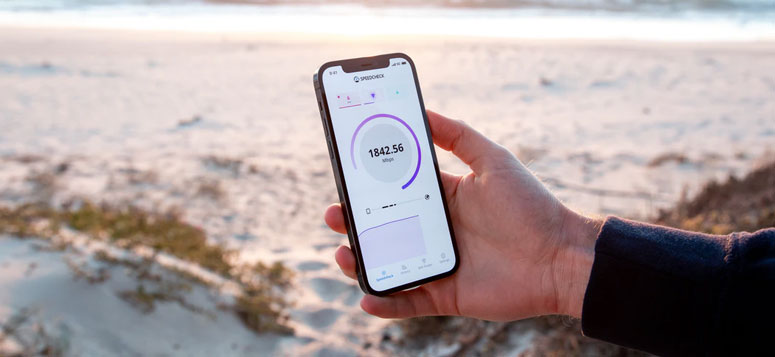
So, if you see that Hulu is continuously logging out, it could refer to a problem with the internet connection. The fact of the matter is that you may have to go deeper to understand the actual problem. And the problem may continue to bother you until you shift to a stable internet connection. One thing you can do is try using a different connection — from your smartphone, perhaps.
If the issue does not happen when connected to your smartphone, you can verify that an internet connection forces Hulu to log you out. If you can sort out your internet connection, it will be the best way to fix the Hulu keeps logging me out the issue once and for all.
Solution #2 Clear Internet Cookies and Cache
Internet cookies and cache are used to make your browsing experience easier. However, sometimes, these things may cause issues as well. Therefore, if you see that Hulu is logging you out frequently, you will have to clear the web cookies and internet cache on your device. Depending on the device you use to stream Hulu primarily, you may have to follow different steps altogether.

For instance, to clear the cache on Apple TV, you have to follow simple steps. After turning off the Apple TV, you have to unplug it and wait for a few minutes. Once you reboot your Apple TV, it would have cleared all the caches on the device. Similarly, if you are using an Xbox, you have to follow almost the same steps. You can use the Xbox power button to turn off the device. You can wait for 5 to 10 seconds for the device to clear the cache. Once you reboot the Xbox, you can clear the Hulu issue.
We recommend checking the official sources to understand the specific steps to clear the cache and cookies on your device. Performing this task will increase the chances of solving the Hulu problem we are dealing with right now.
Solution #3 Use A Different Web Browser
Sometimes, the constant logout issue on Hulu could be related to the web browser. For example, many users report that Google Chrome causes problems with Hulu. In addition, the extensions you have installed on the browser are also capable of causing the problem.

Therefore, using another web browser than the current one is a great solution for the problem. In most cases, shifting to Microsoft Edge or Brave could be a great decision regarding performance and security.
Solution #4 Logout from Other Devices
Have you signed into Hulu on other devices like your smartphone? Well, your account may have a limit on how many devices can be used simultaneously. In that case, Hulu will log you out whenever you try to sign into a new device. Therefore, it makes sense to check where else you have used the account. In addition, if you share your Hulu account with friends, you may want to check that as well.

Altogether, make sure that you are not breaking any limits. By the way, you may have to remove certain devices from the list.
Solution #5 Close Heavy-bandwidth Apps
Is your computer running so many background applications? Well, if you are running apps that require a lot of internet bandwidth, it may cause Hulu to cause the issue in question. Therefore, you should close these bandwidth-consuming apps from the system. As you can guess, any app may stop working if it does not access the required bandwidth. And Hulu is no exception. Therefore, if you can open log into the Hulu app while no apps are running, it could certainly be an issue of bandwidth.
Solution #6 Reinstall the Hulu App
Regardless of the platform you are using, you can reinstall the Hulu app to solve the issue. In some cases, an issue with the app may cause Hulu to log you out constantly.

Therefore, logging into your Hulu account from the freshly installed Hulu app may solve the issue. If you are using a gaming console like PS4 or Xbox, make sure that you delete the app data before reinstalling. Otherwise, temporary files may cause the issue to reappear.
Solution #7 Decrease Video Quality
One of the reasons for frequent logout on Hulu could be the app getting crashed. While there are several reasons why an app gets crashed, high bandwidth consumption is one of them. In the case of Hulu, trying to stream videos in the best possible quality could lead to the issue. Therefore, you can try setting the video quality to a lower bar to see if the issue persists.

If it does not, you are all good to go. Over time, you might have to upgrade your device for a seamless streaming experience, though.
Solution #8 Contact Hulu Customer Care
Sometimes, the problem is not with the device but with your Hulu account. In that case, solving the Hulu keeps logging me out issue means getting in touch with the Hulu customer care. They will be able to help you sort the issue and remove account-based restrictions if any are applicable. For instance, the company may have changed your password for security reasons. In these cases, you cannot proceed without having a one-on-one conversation with the customer care team.
Also Read: How to Fix Dragon Age Inquisition Won’t Launch Error
The Bottom Line
So, there you have it: the eight best solutions to fix the Hulu keeps logging me out issue. You can try these methods on various devices, including PC, Mac, Xbox, PlayStation, Roku, Amazon Fire TV, Apple TV, etc. And we recommend following all these methods before you get in touch with Hulu tech support.
Cite this page
Thakur, T. (2024, April 14). Fix: Hulu keeps logging me out! [8 Solutions]. XtendedView. https://xtendedview.com/hulu-keeps-logging-me-out/
Thakur, Tushar. “Fix: Hulu keeps logging me out! [8 Solutions].” XtendedView, 14 Apr. 2024, https://xtendedview.com/hulu-keeps-logging-me-out/.
Thakur, Tushar. “Fix: Hulu keeps logging me out! [8 Solutions].” XtendedView, April 14, 2024. https://xtendedview.com/hulu-keeps-logging-me-out/.
Source: <a href="https://xtendedview.com/hulu-keeps-logging-me-out/">Fix: Hulu keeps logging me out! [8 Solutions]</a>, XtendedView