


One strong reason behind why people are switching to the Android Operating System is “App Ecosystem”. The Android powered Smartphones support number of applications, which you will hardly see in any of the devices. Of course, there is one official destination from where you can download million of applications on your Android Smartphone for free as well as paid and that’s none other than Google Play Store.
Photo by Denny Müller on Unsplash
The Google Play Store is updated regularly keeping a track of new and updated applications added to the specific lists. Just go through the Google Play Store and click on any category or simply search an app name which you like, definitely, you will find numerous applications listed under that category or in a search list. Now, can you decide which is the best app and which is the worst among these long listed apps? Of course, Not! Because, if you are thinking to try each of them on your device then it takes ample time. So, its better to stay with me and today, I will provide you the “8 Best File Manager Apps for Android”.
Read:
- 15 Best Android applications
- How to create hidden files on Android
The Android Operating System has its own beauty, it allows users to take a deep look into the device’s entire file system without any hassle. However, if you own any rooted Android Smartphones then you are allowed to manipulate the system files also! Now, to handle all these things, you’ll definitely need the “File Manager app”. As I said earlier, there are no. of apps reside in the Google Play Store and you want the best, right? So, here are the 8 Best File Manager Apps for Android Smartphones. Take a look below!
8 Best File Manager Apps for Android
1) Explorer
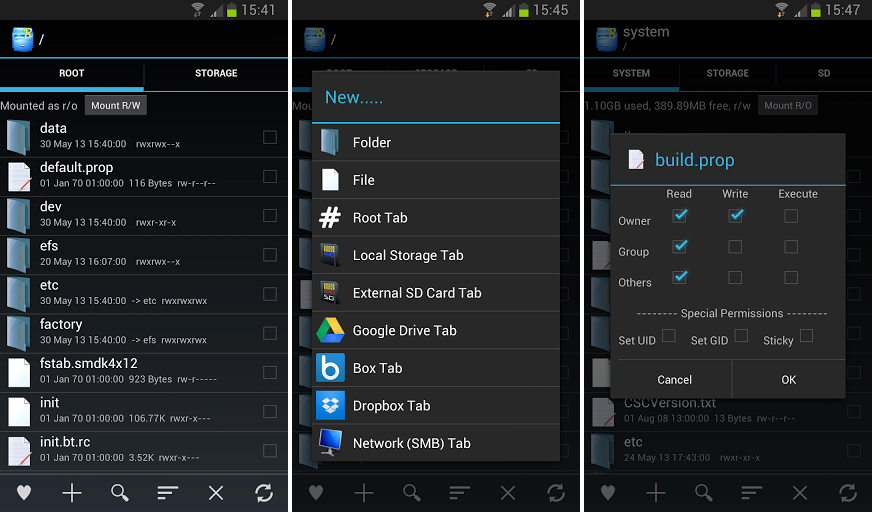 First app on the list is “Explorer”. I personally used this app to browse my device file system and it’s really a handy app. This app is especially made those Android geeks, who has rooted their device. This app drives you through the deepest level of your device’s file system. Apart from that it includes various features like multiple tabs, text editor, create or extract archives, quick option for sending files, amazing “Open With” facility and full Network support.
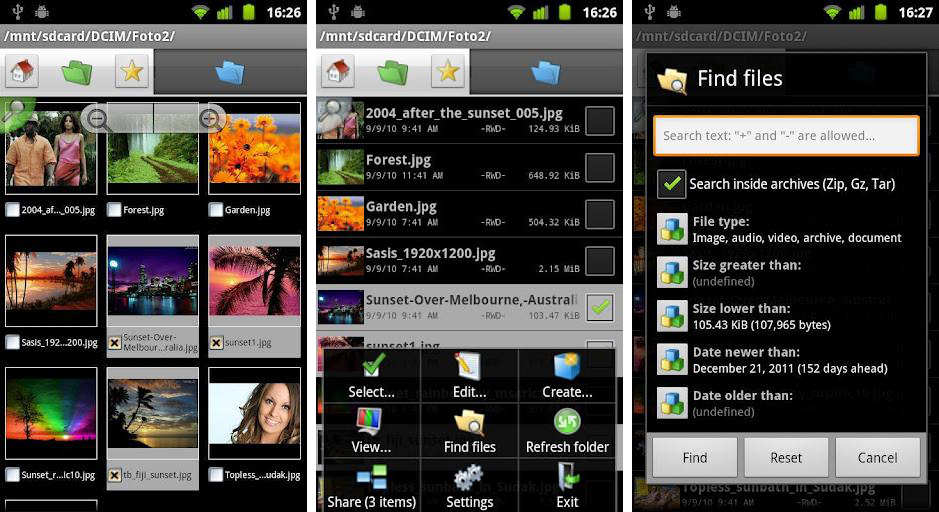 The name of the app itself says it’s a dual way of browsing files. I must say, the users who are aware about the Windows 95 dual-pane file browsing system, for them it’s a best app. In the app, on the top, you’ll see two tabs. One is for home directory and another for external SD card, just click on it to switch between them. Using this app, you can easily move/delete/copy multiple files at a time as well as you can create folders, zip and tar files with ease.
3. ES File Explorer File Manager
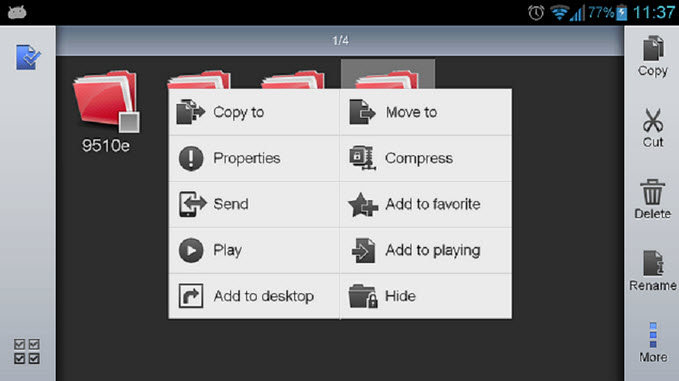 ES File manager functions as all of these apps in one: file manager, application manager, task killer, cloud storage client (compatible with Dropbox, Google Drive, SkyDrive, Box.net, Sugarsync, Yandex, Amazon S3, and Ubuntu One), FTP client, and LAN Samba client.
It provides access to pictures, music, video, documents, and other files on both your Android devices and your computers.
4. Ghost Commander File Manager
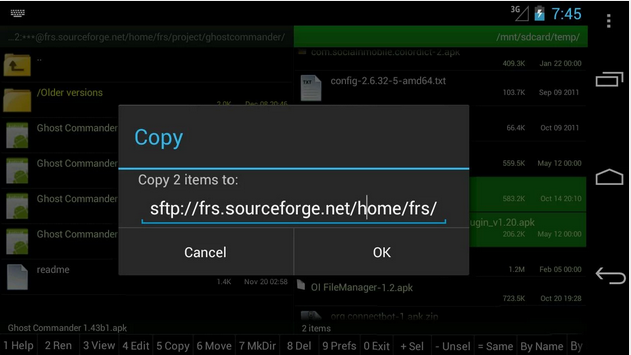 Ah! Don’t be afraid, it’s just a file manager app. This app is almost similar to Total Commander, but it includes some extra features like options viewing file system, transferring of files from FTP and SFTP servers and Windows network shares, easy navigation panels, and much more. The most amazing feature of this app is that it allows the user to change “Read – Write – Execute” permission from others, it’s only possible on the rooted Android Smartphones.
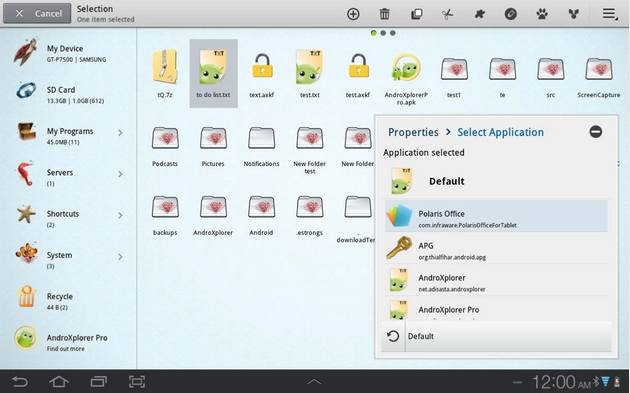 A sophisticated file manager app for your Android device. Rather than clicking, is swiping is your best way to browse the file system then “AndroXplorer File Manager” will really help you with that! It supports advanced multiple-views for browsing the file system, where the View-to-view navigation appears just by swiping left or right having a specific folder with full file manager functions. It also includes backup & restore options, an inbuilt text editor, themes, memory information and various shortcuts.
 We all know that, apart from the Smartphones, tablets are also running on Android widely. And of course, it also needs a File Manager app to browse the entire file system. So, here is the one of the best File Manager apps for Tablets. Definitely, the app comes with tablet optimization having a simple user interface with lots of options. Similarly, it can do all the file operations like other apps. Other than that, it supports 23 different languages and 3 sets of commercial icons for 170+ different file types, toolbar and menu items.
7. File Manager
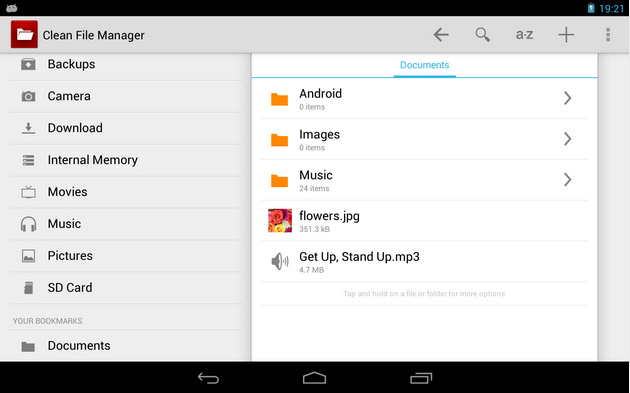 A quick and clean File Manager app especially for Tablets in a Holo Style. If you’re Holo-Styled fan, then you’ll definitely love this app, you can also switch between Holo Light and Holo Dark themes. Besides that, it comes with universal features and some advanced too. The app includes its own inbuilt gallery for faster images browsing with full functionality.
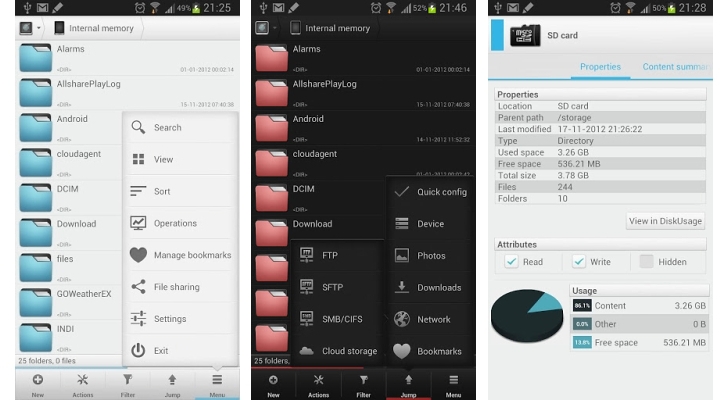 Lastly, here again comes my one of the favorite apps, i.e., Solid Explorer. Only few have heard about this great File Manager app. Firstly, I must say, I love it’s transitions and animations. Further, it comes with two independent panels for browsing making file browsing a lot easier. The main feature of this app is that you can easily connect to cloud storage sites and to FTP, SFTP, WebDav and SMB/CIFS clients.
My Final Words
So, here I wind my list of 8 Best File Manager Apps for Android. I hope, you have really enjoyed the post. And I know, there are lots of File Manager apps out there, so if you feel that I have missed out any of best File Manager Apps for Android, then I would surely like to hear it from you guys! Do commenting and also let us know which file manager app you liked the most and why?



8 Comments
Solid File manager looks a great app. Does this app supports Rooted devices? For exploring the root of the device?
Yes, it does.
Hi Tushar,
Very Comprehensive List of File Manager apps.
I am using the ES File Explorer. But People are saying that this app is spying on the users. Is that true? Thinking to replace this app with other ones in this list.
Thanks.
Recently Installed Solid Explorer. But got to know about the “Files By Google”. Can you share more information about this File Manager for Android?
ES File Explorer is a great app. But it also has the Pro version. What are the benefits of Getting ES Explorer Pro Version?
It’s add free version.
ES File Explorer is no longer available. Please fix.
Yes, that is right. That app has been removed from the play store. You can always choose Solid Explorer for the same purpose.