One of the biggest advantages of Android is its customizability indeed. This is also one of the reasons why a lot of Pro users shift to Android from iOS, since the latter is quite restrictive. On Android, even when device manufacturers bring out some changes to the UI and features, there is a promise of optimization. If anything, you will be able to wipe the existing OEM software and flash a custom Android ROM. But, most people think that’s the advanced stuff, and let’s leave that there. Here, however, we are talking about some of the hidden features in Android – secret codes.
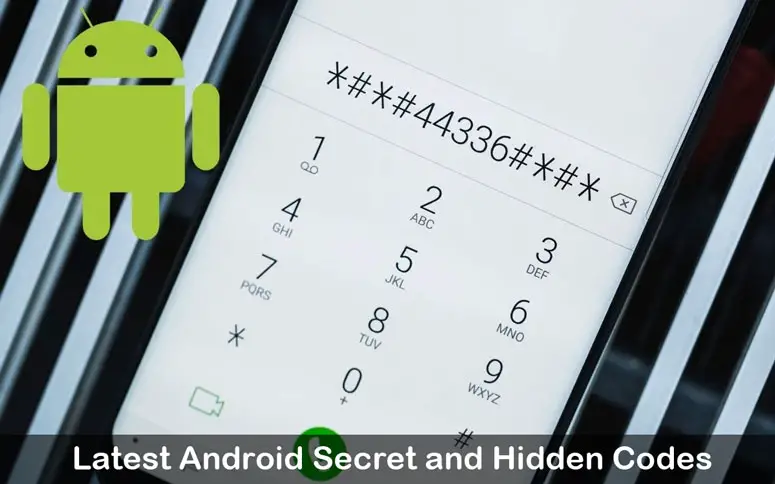
How Useful Are Secret Codes in Android?
Secret codes are not exclusive to Android in any way. In fact, even those Nokia feature phones had support for secret and hidden codes from the very beginning. They were very helpful that you could unveil some of the lesser-known features in your device. That is the same case with Android, but the options are advanced and advantageous. For instance, some Android secret codes would allow you to access settings that are not available otherwise. You will be able to customize the radio settings or the 4G LTE band settings. These may come in handy when you need a better experience.
There are also other instances where you will find the secret codes to be helpful. For instance, almost every Android device comes with a testing utility. This utility is meant to help you understand whether some parts of your device is working or not. For instance, you may have to check the hardware if you cannot listen to music as you used to. Similarly, other Android secret codes would let you perform tasks such as testing the Wi-Fi network and testing the RAM and Bluetooth settings of the device. All of these can be helpful in some of the situations you have to go through.
Also Read:
- 7 Things You Should Know About Downloading Game Hacks
- 8 Best Android Apps to Scan Documents from your Mobile (Free and Paid)
Some Things to Note
It should be noted that some of the Android secret codes and hidden codes are manufacturer specific. The codes you use on a Samsung device may not have the same effect on a OnePlus device. We have, however, managed to categorize the codes based on the manufacturer. This will help you in navigating better, we do hope.
Android Generic Hidden Codes
| Codes Description | Code |
| *#*#4636#*#* | Display information about Phone, Battery and Usage statistics |
| *#*#7780#*#* | Restting your phone to factory state-Only deletes application data and applications |
| *2767*3855# | It’s a complete wiping of your mobile also it reinstalls the phones firmware |
| *#*#34971539#*#* | Shows completes information about the camera |
| *#*#7594#*#* | Changing the power button behavior-Enables direct poweroff once the code enabled |
| *#*#273283*255*663282*#*#* | For a quick backup to all your media files |
| *#*#197328640#*#* | Enabling test mode for service activity |
| *#*#232339#*#* OR *#*#526#*#* | Wireless Lan Tests |
| *#*#232338#*#* | Displays Wi-Fi Mac-address |
| *#*#1472365#*#* | For a quick GPS test |
| *#*#1575#*#* | A Different type GPS test |
| *#*#0283#*#* | Packet Loopback test |
| *#*#0673#*#* OR *#*#0289#*#* | Audio test |
| *#9090# | Diagnostic configuration |
| *#872564# | USB logging control |
| *#301279# | HSDPA/HSUPA Control Menu |
| *#9900# | System dump mode |
| *#7465625# | Access phone lock status |
| *#12580*369# | Software and hardware details |
| *#*#0588#*#* | Proximity sensor test |
| *#*#3264#*#* | Ram version |
| *#*#232331#*#* | Bluetooth test |
| *#*#7262626#*#* | Field test |
| *#*#232337#*# | Displays bluetooth device address |
| *#*#8255#*#* | For Google Talk service monitoring |
| *#*#4986*2650468#*#* | PDA, Phone, Hardware, RF Call Date firmware info |
| *#*#1234#*#* | PDA and Phone firmware info |
| *#*#1111#*#* | FTA Software version |
| *#*#2222#*#* | FTA Hardware verion |
| *#*#44336#*#* | Displays Build time and change list number |
| *#06# | Displsys IMEI number |
| *#*#8351#*#* | Enables voice dialing logging mode |
| *#*#8350#*#* | Disables voice dialing logging mode |
| ##778 (+call) | Brings up Epst menu |
| *#*#0842#*#* | Vibration and Backlight test |
| *#*#2663#*#* | Check touch screen version |
| *#*#2664#*#* | Touch Screen test |
| ##778 +call | Brings up Epst menu |
| *#0228# | Battery Status |
| *#273283*255*3282*# | Data create menu |
| *#3282*727336*# | Data usage status |
| *#8736364# | OTA update menu |
| *#2263# | RF band selection |
| *#7284# | USB 12C mode control |
| *#746# | Debug dump menu |
| *#03# | NAND flash serial number |
| *#0782# | Real time clock test |
| *#0589# | Light sensor test |
| *#7353# | Quick test menu |
All HTC and Xiaomi Android Phone Hidden Codes
| Codes Description | Code |
| *#*#232337#*# | Bluetooth Mac Address |
| *#*#232331#*#* | Bluetooth test |
| #*#759#*#* | Debug UI |
| #*#4636#*#* | Device information program |
| *#*#2222#*#* | Display hardware version |
| *#*#1111#*#* | Display Software version |
| *#*#0*#*#* | Display test |
| *2767*3855# | Factory format |
| *#*#7262626#*#* | Field Test |
| *#*#1472365#*#* | GPS Test |
| *#*#1575#*#* | GPS Test 2 |
| *#*#3424#*#* | HTC Function Test Program |
| *#*#2664#*#* | Touch Screen Test |
| *#*#2663#*#* | Touch Screen version |
| *#*#232338#*#* | Wi-Fi Mac Address |
All Samsung Phone Secret Codes
| Codes Description | Code |
| *#0228# | ADC Reading |
| *#0283# | Audio Loopback Control |
| *#0673# | Audio Test Mode |
| *#272886# | Auto Answer Selection |
| *#232337# | Bluetooth Address |
| *#232331# | Bluetooth Test Mode |
| *#7412365# and *#*#34971539#*#* | Camera Firmware Menu |
| *#34971539# | Camera Firmware Update |
| *#32489# | Ciphering Info |
| *#273283*255*3282*# | Data Create Menu |
| *#273283*255*663282*# | Data Create SD Card |
| *#3282*727336*# | Data Usage Status |
| *#746# | Debug Dump Menu |
| #*#4636#*#* | Diagnostic and general settings mode |
| *#9090# | Diagnostic Configuration |
| *#1234# | Display current firmware |
| *#06# | Display IMEI number |
| *#*#7780#*#* | Factory soft reset |
| *#4238378# | GCF Configuration |
| *#0*# | General Test Mode |
| *#1575# | GPS Control Menu |
| *#*#1472365#*#* | GPS test settings |
| *#301279# | HSDPA/HSUPA Control Menu |
| *#3214789650# | LBS Test Mode |
| *#0589# | Light Sensor Test Mode |
| *#0289# | Melody Test Mode |
| *#03# | NAND Flash S/N |
| *#8736364# | OTA Update Menu |
| *#0588# | Proximity Sensor Test Mode |
| *#7353# | Quick Test Menu |
| *#0782# | Real Time Clock Test |
| *#7594# | Remap Shutdown to End Call TSK |
| *#2263# | RF Band Selection |
| *#745# | RIL Dump Menu |
| *#*#197328640#*#* | Service mode main menu |
| *#44336# | Software Version Info |
| *#12580*369# | SW & HW Info |
| *#9900# | System Dump Mode |
| *#07# | Test History |
| *2767*4387264636# | To display product code |
| *#2663# | TSP / TSK firmware update |
| *#7284# | USB I2C Mode Control |
| *#872564# | USB Logging Control |
| *#0842# | Vibration motor test |
| *#7465625# | View Phone Lock Status |
| *#526# | WLAN Engineering Mode |
| *#528# | WLAN Engineering Mode |
| *#232338# | WLAN MAC Address |
| *#232339# | WLAN Test Mode |
WiFi, GPS and Bluetooth Test Hidden USSD Codes
| Codes Description | Code |
| *#*#232331#*#* | -Bluetooth test. |
| *#*#1575#*#* | -Different type GPS test. |
| *#*#232337#*# | -Displays Bluetooth device address. |
| *#*#232338#*#* | -Displays/Shows WiFi MAC address. |
| *#*#1472365#*#* | -For quick GPS test. |
| *#*#526#*#*n*#*#528#*#* n*#*#232339#*#*n | WLAN Test. |
Firmware version information Android Hidden codes.
| Codes Description | Code |
| *#746# | -Debug dump menu. |
| *#9090# | -Diagnostic configuration. |
| *#*#4986*2650468#*#* | -Firmware Info PDA, Phone, H/W, RFCallDate. |
| *#*#2222#*#* | -FTA Hardware Version. |
| *#3214789#tn | -GCF mode status. |
| *#*#1111#*#* | -Let you know about FTA SW Version. |
| *#03# | -NAND flash serial number. |
| *#*#1234#*#* | -PDA and Phone firmware info. |
| *#2263# | -RF band selection |
| *#745# | -RIL dump menu. |
| *#*#44336#*#* | -Shows Build time changelist number.n-PDA, Phone, CSC, Build Time, ChangeList number. |
| *#9900# | -System dump mode. |
| *#7284# | -USB 12C mode control. |
| *#872564# | -USB logging control. |
Factory Reset and Tests Android Secret Codes.
| Codes Description | Code |
| *#*#0673#*#*n*#*#0289#*#*n | -Audio/Melody test. |
| *#*#2663#*#* | -Displays Touch screen version. |
| *#*#0*#*#* | -LCD test. |
| *#0589# | -Light sensor test. |
| *#*#0283#*#* | -Packet Loop-back test. |
| *#*#0588#*#*tn | -Proximity sensor test. |
| *#7353# | -Quick test menu. |
| *#*#3264#*#* | -RAM version. |
| *#0782# | -Real time clock test. |
| *#*#2664#*#*tn | -Touch-Screen test. |
| *#*#0842#*#* | -Vibration test and Back Light test Device test. |
Other Android Screens and Hidden Secret Codes.
| Codes Description | Code |
| *#0*# | -Galaxy S3 service menu. |
| 1809#*990# | -LG Optimus 2x hidden service menu.n-When prompted for a code enter six zeroes(000000). |
| 3845#*920# | -Lg Optimus 3D hidden service menu.n-When prompted for a code enter six zeroes(000000). |
| ##7764726 | -Motorola DROID hidden service menu.n-The default SPC password is six zeroes(000000). |
Check this video to understand how to use such codes

The Bottom Line
We hope you enjoyed this list of awesome Android secret and hidden codes, available for multiple devices from multiple manufacturers. As a word of advice, however, make sure you double-check the purpose before entering the codes, since some of them are for complete data wipe and factory settings reset.
Cite this page
Thakur, T. (2024, April 12). Working 900+ Latest Android Secret and Hidden Codes and Hacks. XtendedView. https://xtendedview.com/android-secret-and-hidden-codes/
Thakur, Tushar. “Working 900+ Latest Android Secret and Hidden Codes and Hacks.” XtendedView, 12 Apr. 2024, https://xtendedview.com/android-secret-and-hidden-codes/.
Thakur, Tushar. “Working 900+ Latest Android Secret and Hidden Codes and Hacks.” XtendedView, April 12, 2024. https://xtendedview.com/android-secret-and-hidden-codes/.
Source: <a href="https://xtendedview.com/android-secret-and-hidden-codes/">Working 900+ Latest Android Secret and Hidden Codes and Hacks</a>, XtendedView