


Are you Google Adsense publishers or advertiser? Then in case of advertisers they should check how compitators ads looking and how to create attractive and keyword targeted ads. In case of publishers they should check what kind of advertisement is displaying on their website and is it ad serving available for particular domain while purchasing any new domain.
Google Adsense sandbox is a great tool for previewing ads and checking advertises for various keywords and websites. The main topic of concentration in this article is checking ad serving on your website/domain.
What is Google Adsense sandbox?
Adsense sandbox is tools by which you can find which types of Adsense ads are serving on various domains and also for separate keyword. Even if you want to click and check any Adsense advertise then you can check it from Adsense sandbox without harming any Google Adsense terms of service. When you click on ads inside sandbox neither publisher get any money nor did it charge for advertisers.
Read:
· How to remove Google Adsense crawler errors.
What is the use of Adsense sandbox?
· Checking available Adsense ads for specific keyword.
· Check ads for specific domain.
· Try Adsense ads without harming Google TOS.
· Checking ad serving for any domain.
In brief the use is to check ad serving for any domain. Sometimes your Adsense account is working but still no advertisement displaying on website. In this case you can check the ad serving for your domain and can take any necessary action.
How to check ad serving by 5 different Adsense sandbox tools:
Checking ad serving for any domain is very simple. Just put the URL in Adsense sandbox tool.
List of best Adsense sandbox online tools:
1) Labnol:
Labnol.org created a sandbox tool for Adsense. Visit this page:
http://www.labnol.org/google-adsense-sandbox/
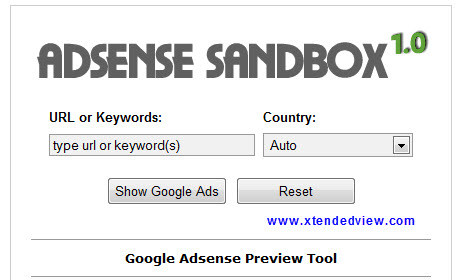
And put the keyword or domain name in it, select country and press “Show Google Ads” button. The unique feature of this is you can view all types of ads like text, graphics rich and banners.
2) Digital Point Forum Adsense sandbox tool:
URL: http://www.digitalpoint.com/tools/adsense-sandbox/
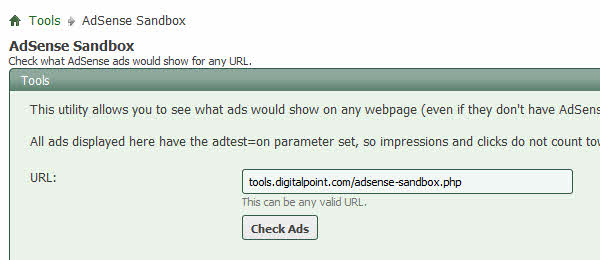
This tool only displays the top 20 text ads.
3) Google ads Preview Blog:
URL:
http://googleadspreview.blogspot.com/
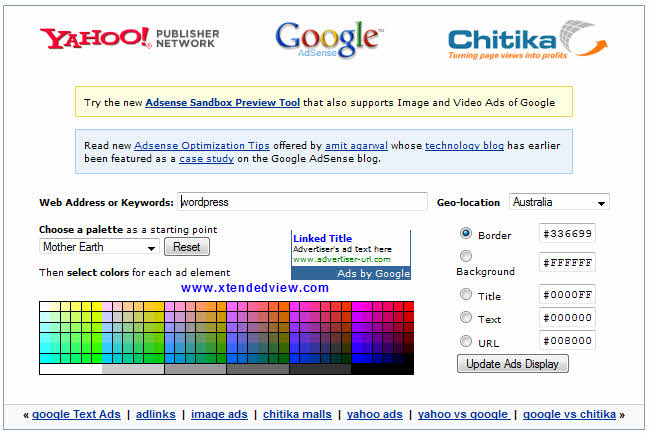
This is not official site but it is also good features like you can see the ads in various colors and format in this. Also you can check advertisement from Yahoo and Chitika network.
4) Sandbox Tool by Namestead:
URL:
http://www.namestead.com/domains/TOOLS/adsense-sandbox/index.asp
Like Digital point tool you can see top 20 Adsense text ads in this.
5) Adsense Sandbox from iwebtool:
URL:
http://www.iwebtool.com/adsense_preview
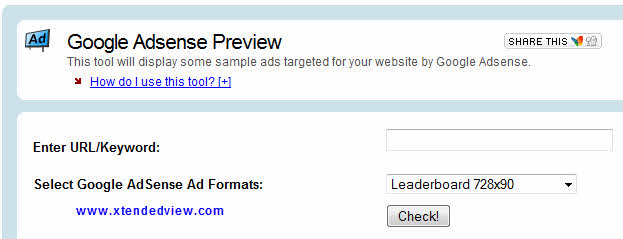
This tool offers similar functionality like above tool the only difference is you can select the ad banner size to display. Only one ad is visible at a time and you can only view 10 ads per day for free users.

13 Comments
hi, i have a question.
why labnol.org and ehow.com adsense code looks different from all others adsense code.
how they are customizing their ad codes? how can i do the same for my ad codes?
is it violating Google Adsense TOS?
Nope they are the premium Adsense publishers.
They allowed to change ads style.
Ads are not shown on my blog why
One of the best web app by Amit Agarwal.
Hey Tushar, I know about Google Sandbox just tell me which is the more accurate as I found different results at different platform, in this situation how can we decide, which is genuine or which is not ?
Great post, Google Adsense Sandbox is the best way to find out either your website is banned from adsense or not 🙂
Glad to see that it helped you. 🙂
I used this link too http://ctrlq.org/sandbox/
thanks for shearing such a wonderful article with us, really don’t know about this. It is really helpful for me.
Hello, I want to ask a question about adsense sandboxes. Will it show the ad running on the website or potential ads (the ads which have potential to appear on the website but haven’t yet). Because I have a blogger blog and I add adsense in it but I see no add when I open blogs and posts by popular browers like IE, Google Chrome, but when I enter the blog url into the sandbox tool http://ctrlq.org/sandbox/, I see lots of ads appear.
This tool is just to check if your website is not banned in the Google adsense program. The ads that you are seeing are not 100% accurate to the actual ads being displayed on your website.
How can get premium account for adsense ??
anybody know ?
tnx
please update the URL of LABNOL as it is no longer working