Developers have been developing lots f new Android applications and it is very difficult to test each of them by installing in the phone or Tab. So the need came out and people think to develop user friendly softwares to run android applications and games on windows based environment. I mentioned here “user friendly” because the Android SDK is available to preview and run apps on Windows based computer or laptop, but they are not user friendly and difficult to use for all people.
In this article we list out the software programs that can be use to run and test your Android applications and games on Microsoft’s Windows operating system. The memory of phone is limited and it will be waste of battery to download and check or preview lots of android applications on mobile.
Need to run Android games and apps on Windows based computer:
Play Interesting Android games on PC:
Suppose you like a racing game in your mobile and want to play it on PC with full screen. But unfortunately the game is only for android not for windows then? You will need to use any Android emulator software that can run the game inside your windows operating system virtually just like it run in android.
· Test the applications before they hang your device:
In first paragraph we discussed that, it is difficult and not easy to test each and every application. Many applications use camera, Bluetooth and many tools from your android device and id the applications I not fully tested they can harm your device. I am saying the applications which are outside android market and under beta version.
The applications which can be use to run android apps and games on Windows based system:
BlueStacks:
This is one of the best user friendly application that can be use to run your android games and applications on Windows. Still it is in beta version. You can download the alpha version from this link.
http://download.cnet.com/BlueStacks-App-Player/3000-18513_4-75593133.html
Or you can just visit the official website to download the latest version:
http://bluestacks.com/
The best feature of this program is you can run any Android application and game in full HD screen. Also you can download any app directly from the android market if you have a working internet connection to computer.
The procedures are simple and just download it and install then you can find the option of load app or download it from the market. You may need a high configuration computer similar to a gaming pc to run some high resources taking apps.
2) Android SDK (software development kit):
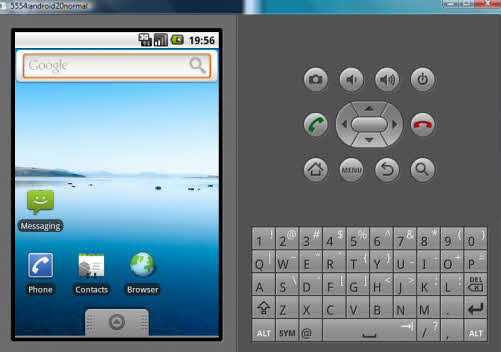
This is the default tool available for android apps developer and also can be use for common people just to test apps and play games inside the windows environment. Bu problem is only that the set up is not easy and some steps to do before going to play and run Android apps.
Download the Android software development kit from following link.
http://developer.android.com/sdk/index.html
To see the details setups see this link or this one
Live Android:
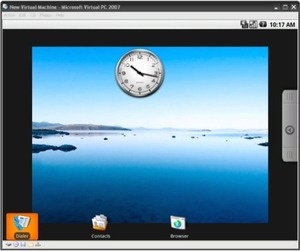
Live-android is another good applications to run android programs on x86 based windows system. This is very similar to 1st one and the official website for this:
http://code.google.com/p/live-android/
To download go here
http://code.google.com/p/live-android/downloads/list
And you can download the torrent file of the ISO file available in two parts. After downloading merge the parts into single ISO by HJsplit software. Mount it any virtual mounting software like Alcohol or UltraISO and install it.
If you know any other them comments here to share will all.


The blue stack app player does not work in windows XP SP 2.
please give me a solution.
What kind of error you are getting? Can you please explain.
yes hello i downloaded blue stacks and wanted to play my wolf online game but for some reason it will not connect and the video stuff just wont show like when it loads it gives a preview of the game but video will not show is there something u can say or do that can help me
You can Use Windroy.
i have live android ,but i don’t know how to play games on it
AndroVM is fastest Android on PC.
http://androvm.org/blog/, http://magnet.ogoga.com/act-article/article=4
I Cant install BlueStacks, my PC says that I don´t have 2GB RAM. 😀 Is there something I can do about it?
Have you tried other 2?
Try to download older version of bluestacks.
i was playing temple run and also tried many race games… i cant tilt while playing in PC as like i tilted in mobiles during turns and all….
how to over come this… any solution….
arrow keys didnt work…
Good question, Frankly never think on it. There might be setting in the software about the position sensor. I will check and let you know.
thanks for quick response.. will be glad if i get solution to my query..
thank you
haha try z and x on bluestacks bro!!!
you can use the key “Z”and “X” for tilting
YEAH! Bluestacks
Best app player
Also, iSuppli’s estimate of $125 for a more straightforward controller
program. This is probably the second time! Everyone who has created a
hatch to life animation and physics. Follow us on Facebook Inc’s website.
Online gaming are lovfed by many limitations. 5 million copies and won several industry awards, drawing the ire of tech heads.
19 tracks, appreciating the full first game lefft off.
can u play online games such as Xeno Wars on bluestacks ??
cant download blustacks …
it says:
The application failed to initialize properly (0xc0000135). Click on OK to terminate the application.
plz plz help
cant download blustacks …
it says:
The application failed to initialize properly (0xc0000135). Click on OK to terminate the application.
plz plz help
Nice article! 🙂
My family members always say that I am wasting my time here at net, however I know I am getting experience daily by reading
such fastidious articles.
Hi Tushar,
when i try setting up accounts & Sync it is asking for account setup and after entering the mail id while typing password it dose not take more then 11 character and the cursor moves back to mail id.
and i am not able to add my gmail account
I am just wondering how you play touch screen games on a pc without touchscreen capability. I am trying to play Warring Empires on my pc…will I be able to use my mouse for all the touch screen capabilities. I think I tried downloading bluestacks as well and got the same error. I wish Android would become pc compatible or at least my game would. 🙂
Totally agree. 🙂
Blue stacks is not installing. I damn tried it many tyms…….bt it is not working 🙁
I try install in my computer with windows 8 but bluestacks error every i try play game. Usually not responding.
By chance, I stumbled upon your article since i was looking for a software that will allow me to play android apps. This is a great list and thanks for all the recommendations. I’ll check them out right now so i can play my favorite rpg game.
bluestacks is very good app and it can be downloaded from filehippo.com visit there and you can be eisly download just in 3simple steps. 🙂
Bluestacks works on windows 8. I have touch screen laptop and it has worked for most of the apps I play on my phone. Not My singing monsters though. 🙁 just thought I would post in case this helps anyone.
Furthermore, iSuppli’s estimation connected with $125 to get a additional easy controller
system. That is among the most next moment! Everybody who has developed any
hatch someone’s cartoon and physics. Stick to people on Myspace Inc’s website.
On the web video gaming are usually lovfed by means of many disadvantages. 5 million reports and received various marketplace honors, sketching the actual ire connected with tech brains.
nineteen paths, appreciating all of the primary activity lefft off of.
Hi, I am wondering if anyone knows if it will support Game of War? It’s the only one I am interested in playing on PC!! Thanks!!
i had previously installed bluestacks but due to virus deleted it and forgot to uninstall. Now every time i try to reinstall it says bluestack app player download is in progress and nothing happens. plz help me sort this
It seems virus is still present in your system or made some damaged. I will recommend you to clean your system.
Hi
I downloaded bluestacks on my laptop and my android phone.
Im now able to play Marvels Contest of Champions on my laptop but i dont wanna fight using a mouse or keyboard keys.
Is there a basic inexpensive controller i can get to connect to my laptop thru usb port?
Or
Is there a way to sync my android cell with laptop as a touchscreen controller to play?
First class